






|
OrCAD Capture
is the industry standard solution for PCB development because of its intuitive schematic editing, project management, extensive compatibility, and cost effectiveness.
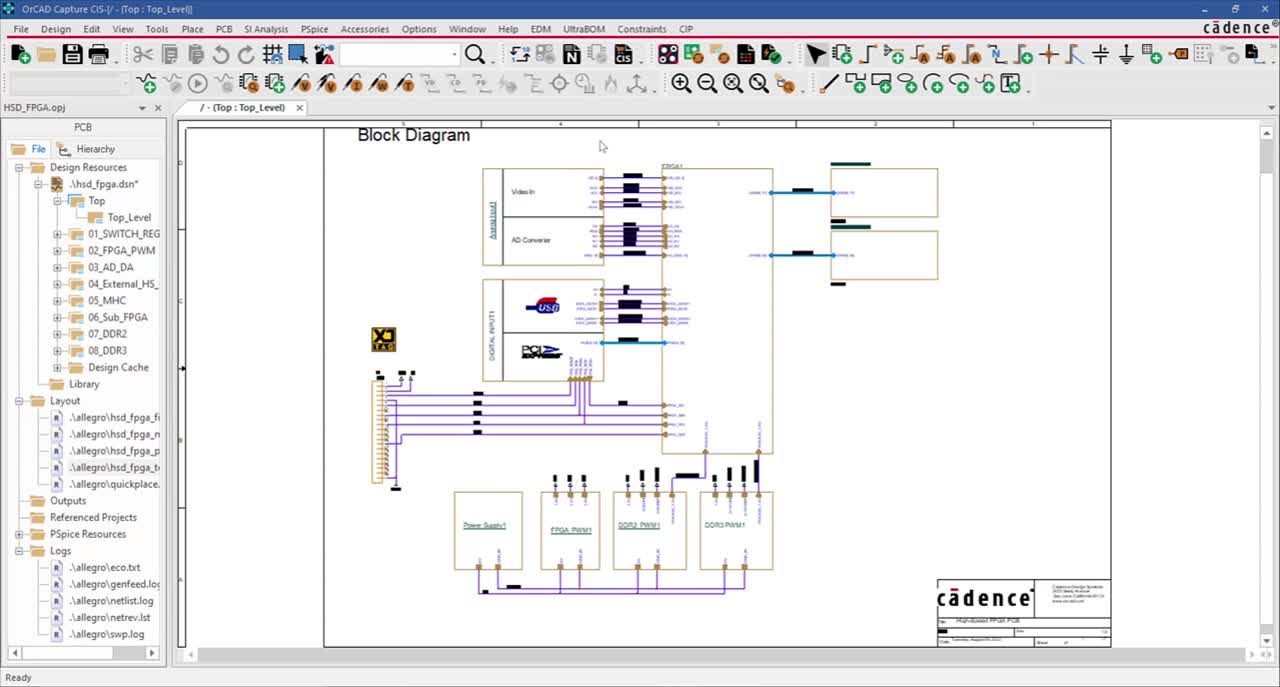
Cadence® OrCAD® Capture is the most widely used schematic design solution in the industry. The reasons are its ease of use and ability to support both flat and hierarchical designs from the simplest to the most complex. The full-featured schematic editor in OrCAD Capture enables users to place and connect parts from a comprehensive set of functional libraries. Whether used to design a new analog circuit, revise a schematic diagram for an existing PCB, OrCAD Capture allows designers to enter, modify, and verify the PCB design. With the option to add an advanced Component Information System (CIS), Capture users can be sure they have a excellent tool.
Capture's widespread use is also due to it's compatibility with every major PCB layout tool on the market. In addition, Capture users benefit from the flawless compatibility with other Cadence OrCAD tools. Seamless bi-directional integration with OrCAD PCB Editor enables data synchronization and cross-probing/placing between the schematic and the board design. OrCAD Capture allows designers to back-annotate layout changes; make gate/pin swaps, and change component names or values from board design to schematic using the feedback process. This greatly accelerates design time and eliminates mistakes created by translation issues or out of sync design files.
Benefits:
-
Provides fast, intuitive schematic editing
- Boosts efficiency with hierarchical and variant design capabilities
- Seamless integration with OrCAD PCB Editor
- Automates the integration of field programmable gate arrays (FPGAs) and programmable logic devices (PLDs)
- Makes changes quickly through a single spreadsheet editor
- Imports and exports every commonly used design file format
- Access the library editor directly from the user interface
- Create and edit parts without interrupting workflow
OrCAD Capture is the industry standard solution for PCB development because of its intuitive schematic editing, project management, compatibility, and cost effectiveness.
| |
Industry Standard Schematic Editor
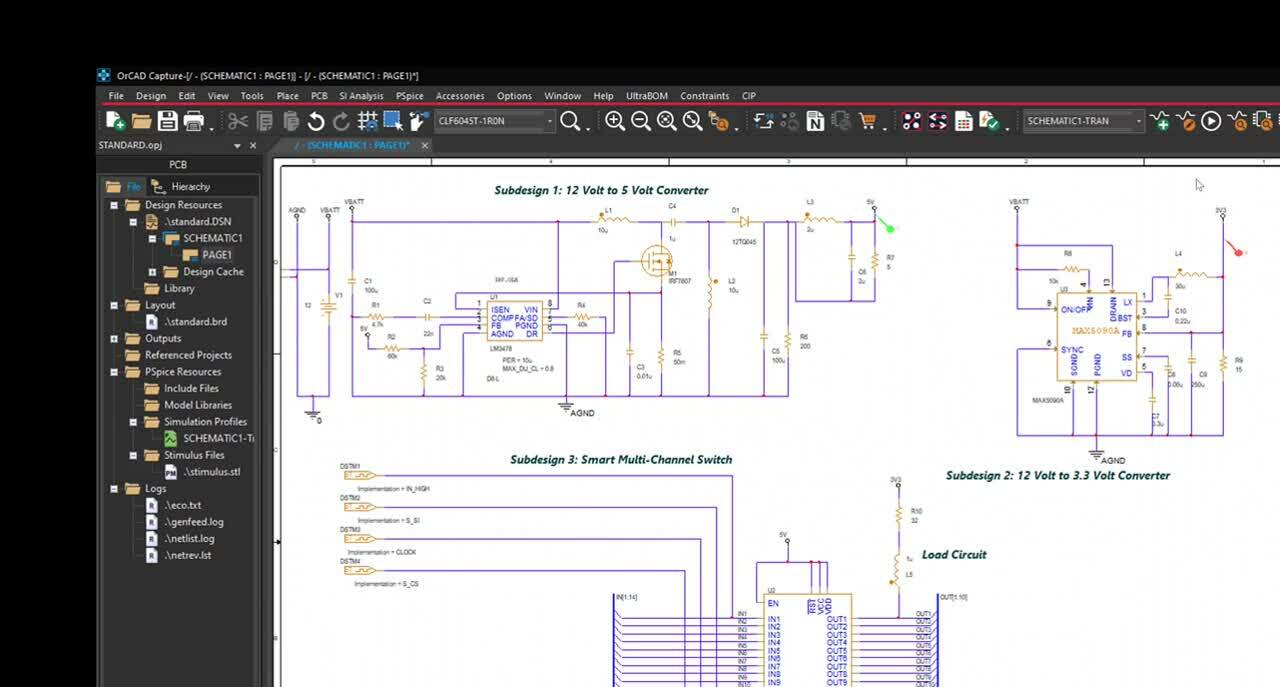
The flat and hierarchical schematic page editor of OrCAD Capture builds on the OrCAD legacy of fast and easy schematic editing.
Industry Standard Schematic Editor
The flat and hierarchical schematic page editor of OrCAD Capture builds on the OrCAD legacy of fast and easy schematic editing.
It combines an intuitive interface with the features and functionality needed to speed design tasks and facilitate circuit creation. The autowire capability, for example, automates the often tedious and time-consuming task of wiring signal pins. Wiring between component pins is as simple as selecting a starting pin and a destination pin and letting the software automatically and quickly add the connection. For larger, more complex designs, OrCAD Capture supports multi-sheet and hierarchical designs. It also makes hierarchical designs easy to traverse and ensures that all connections are maintained accurately throughout the design.
|
|
|
| |
Library and Part Editor
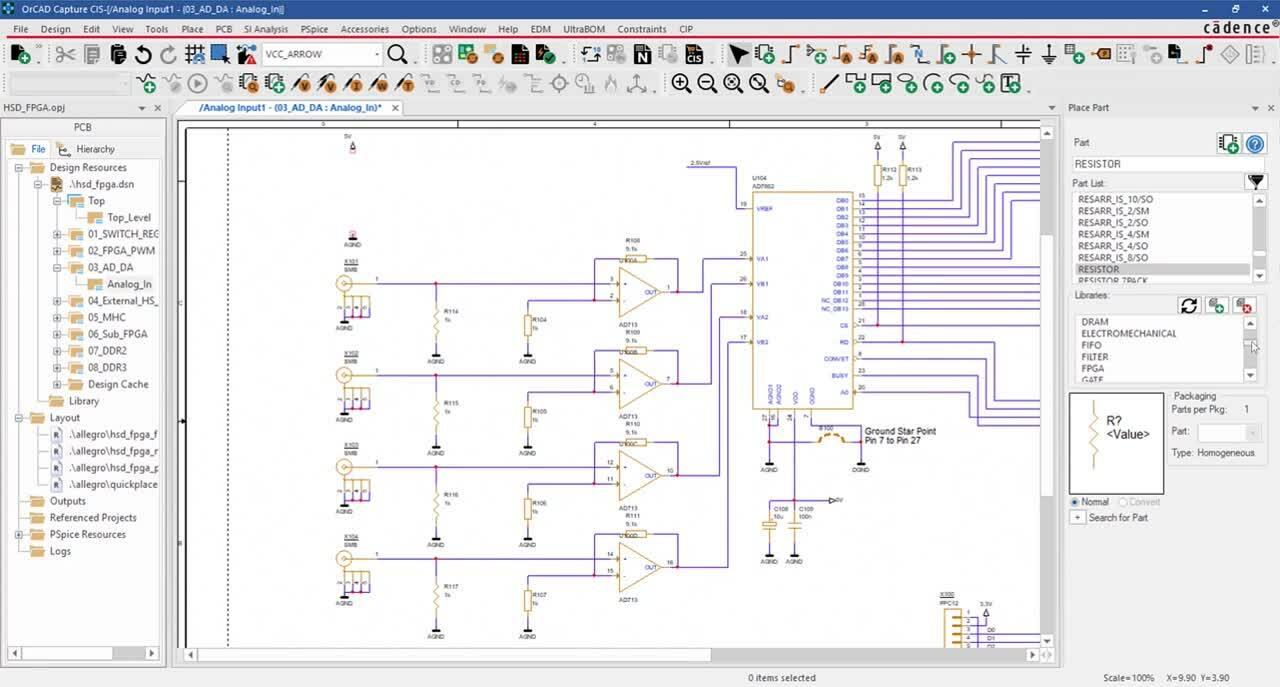
The OrCAD Library and Part Editor helps manage important component information; users can create and edit parts in the library or directly from the schematic page without interrupting their workflow.
Library and Part Editor
The OrCAD Library and Part Editor helps manage important component information; users can create and edit parts in the library or directly from the schematic page without interrupting their workflow.
- More than 44,000 starter library parts including IEEE and IEC standard styles
- Accelerate schematic part creation and editing using intuitive graphical controls
- Modify existing parts to quickly create new parts
- Speed the development of pin-intensive devices using spreadsheet and pin array utilities
- Reduce clutter on schematics using bused “vector” pins
- Drag and drop between libraries and schematic design cache to speed creation and maintenance of master library sets
- Revise a single part on the schematic or update all occurrences
- Revise control tracks part edits at the schematic level
- Control visibility and connectivity of power and ground pins at the schematic level
|
|
|
|
Hierarchical Design
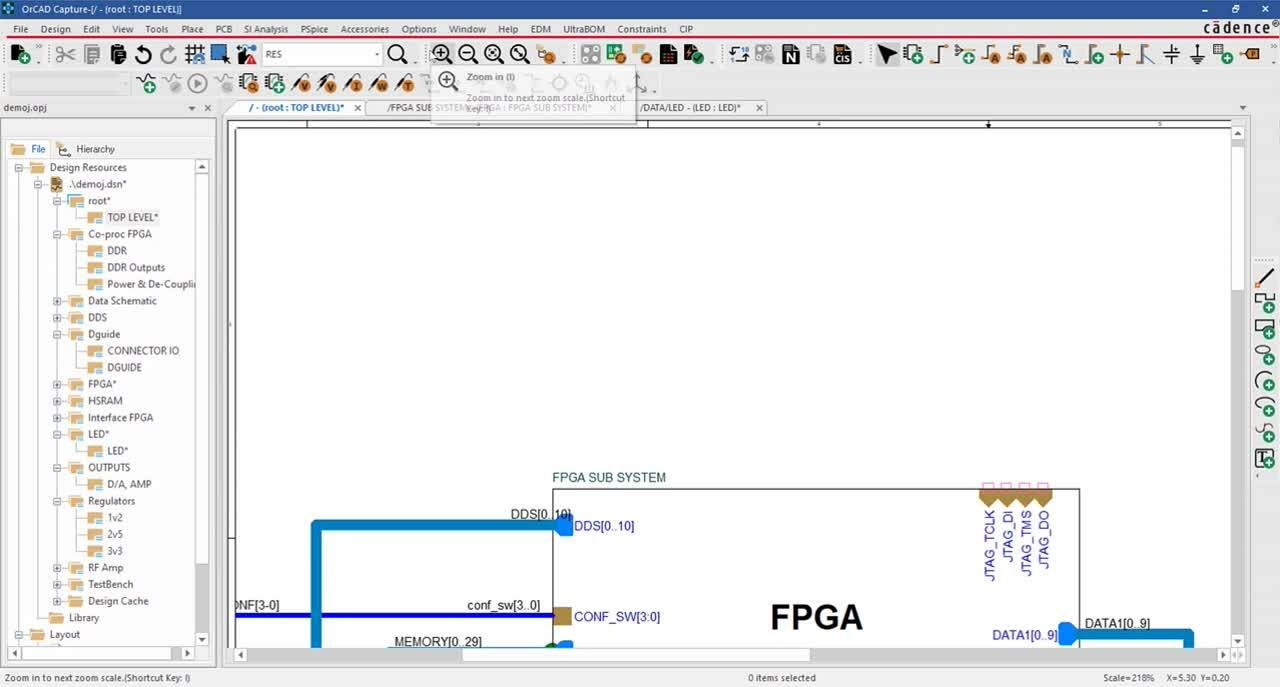
The hierarchical design flow in Capture boosts schematic editing efficiency by enabling subcircuit reuse, without having to make multiple copies.
Hierarchical Design
The hierarchical design flow in Capture boosts schematic editing efficiency by enabling subcircuit reuse—without having to make multiple copies.
The re-use of existing logical circuits that have already been tested and proven is one of the best ways to reduce cycle time and maximize quality. Having already been placed, routed, and validated on a previous design, the effort that went into the original design can be preserved. Typical examples include power supply modules, RF circuit designs, multichannel circuits (I/O, drivers, etc.), and memory. Some of the benefits and features of hierarchical design include:
- Update ports and pins dynamically for hierarchical blocks and underlying schematics
- Reuse OrCAD/Allegro® PCB modules within or between schematics
- Enables a single instance of the circuitry for you to create, duplicate, and maintain
- Reference and reuse circuitry throughout the entire design on an unlimited basis
- Eliminate potential design connection errors through automatic creation of hierarchical ports
- Manage/edit all property occurrences from one location using a spreadsheet view of the entire reuse hierarchy tree
|
|
|
|
Support for Multiple Design Flows
Cadence OrCAD Capture is so widely used because it is compatible with every major design flow available.
Support for Multiple Design Flows
Cadence OrCAD Capture is so widely used because it is compatible with every major design flow available.
Because of Capture's long standing popularity, tools have been designed to work with Capture. This is primarily accomplished by the netlists that Capture creates. Capture also passes the rules of the schematic on the the layout tool, which saves significant repeated effort. Capture is the one schematic tool that you can be confident will provide you with the necessary compatibility for PCB layout and Simulation.
- 30+ PCB layout netlist interfaces
- Interface with OrCAD PCB Editor place-and-route with full forward and backward connectivity
- Interface with Cadence Allegro high-speed PCB layout solutions with full forward and backward connectivity
- Cross-probe nets and signals between schematic and simulation windows
- Cross-probe nets and parts between schematic and PCB layout
- Cross-place components in PCB layout from OrCAD Capture
|
|
|
|
Data Management & BOM Generation
OrCAD Capture creates Bill of Materials (BOM) outputs by extracting information contained in the schematic database.
Data Management & BOM Generation
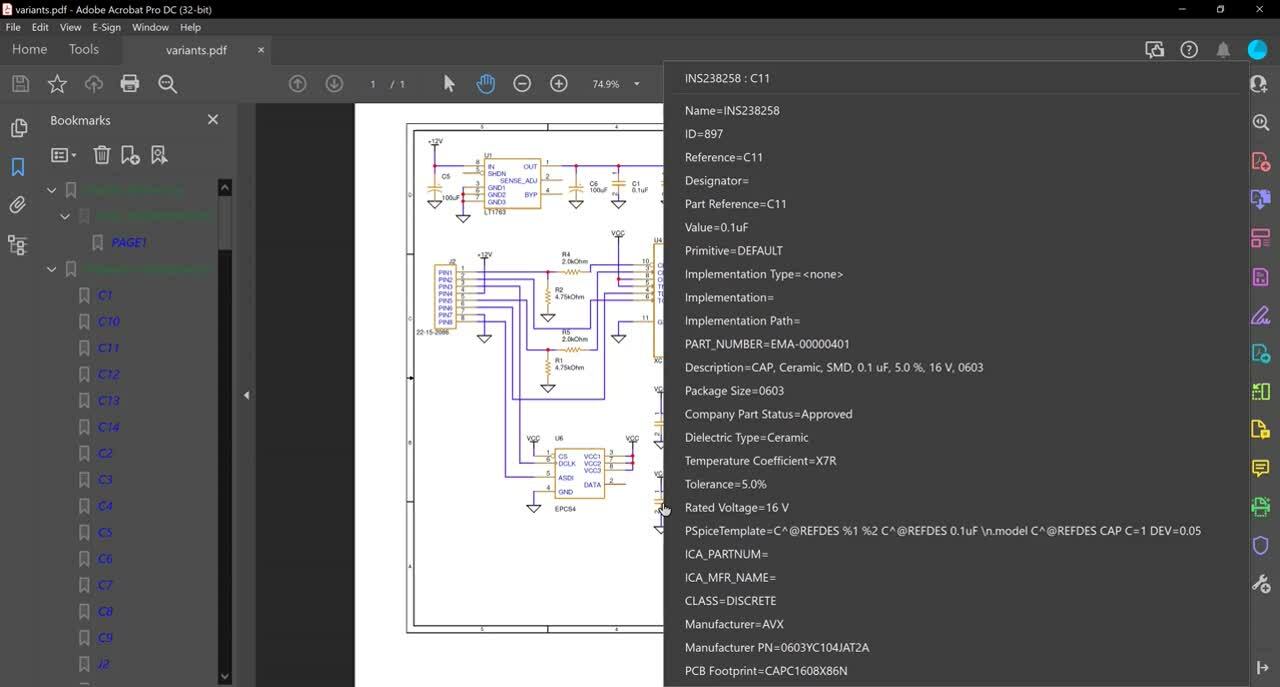
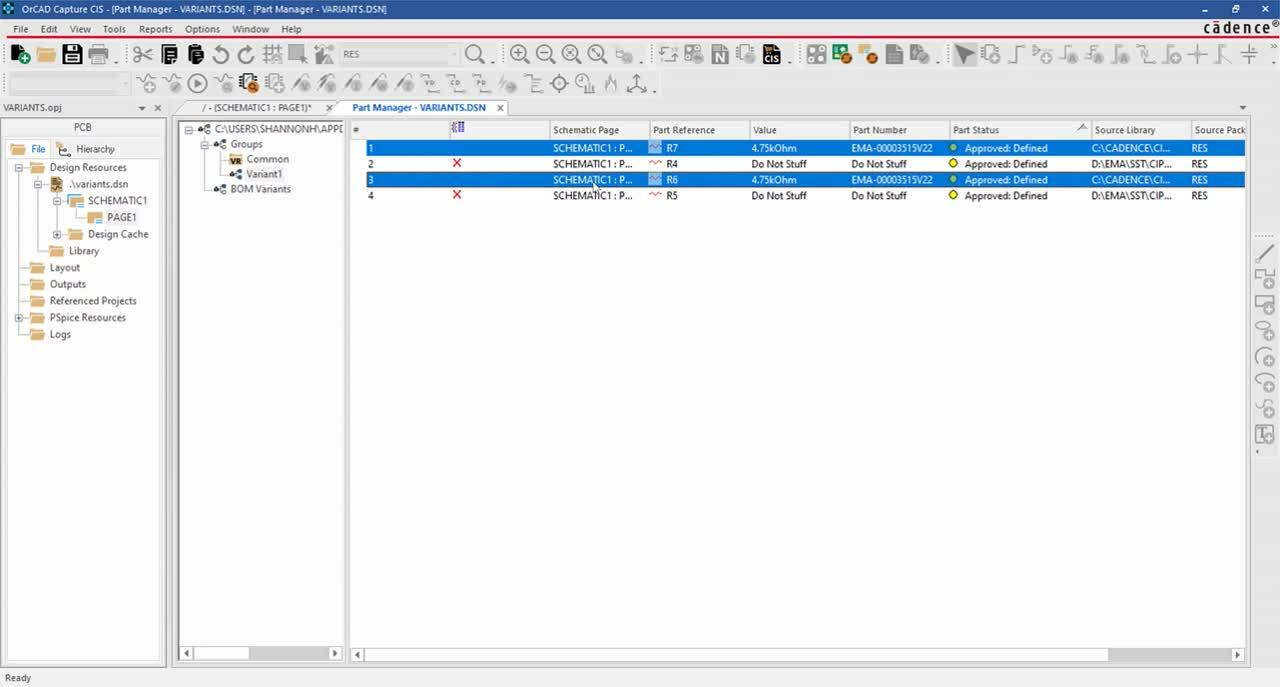
OrCAD Capture creates Bill of Materials (BOM) outputs by extracting information contained in the schematic database. Capture users have the capability to generate BOM information directly from the tool; these reports are based on the properties associated with parts in the schematic. Users who have Capture CIS can easily keep part information up to date, increasing the accuracy and value of the BOM's generated. If Component Information Portal™ (CIP) is also present, part information from the integrated distributors will be automatically updated, including cost.
BOM Creation
OrCAD Capture CIS creates BOM outputs by extracting information contained in the schematic database.
- Automatically package parts with reference designators prior to report generation
- Preview, print, and save reports; save formats include tab delimited, comma delimited, and Microsoft® Access
- Re-sort columnar data by simply clicking on the field header in the report preview window
- Directly export to Microsoft Excel®; a single selection before preview will automatically open a local copy of Excel and import the report selections
|
|
OrCAD Capture / CIS
Version History: 16.6 | 16.5 | 16.2 | 16.0 | 15.7 | 10.5 | 10.3 | 10.0
16.6 Features and Enhancements
- Capture – PCB SI integration and flow: With product integration comes a new bi-directional schematic entry/signal integrity flow that allows electrical engineers to explore circuit topologies, develop constraints, and analyze signal integrity.
- Quick-place for common components: A new menu, Place >PSpice Component, enables quick-place for commonly used schematic or simulation components. The menu items list of components is user-configurable and has been pre-populated with PSpice® simulation devices (passive, discrete, sources, digital).
- User-configurable menus and toolbars: Menus, toolbars, and icons in OrCAD Capture, PSpice Advanced Analysis, and Model Editor can now be customized. This makes it possible to run any Tcl method or script from the menus.
- Enhancements to the Find function: The Find function now allows searches for parts by value of a given property (e.g. Property Name=Value) or use of a regular expression as the search string. For example, to search for components with designators starting with C or R and followed by any number between 2 and 9, use the search string Part Reference=(C|R)[2-9].
- NetGroup enhancements: The NetGroup use model is now aligned with the Bus use model for intuitiveness and consistency. Enhancements areas include: assign a NetGroup to a Bus, reorder pins in an unnamed NetGroup, add and remove pins from a NetGroup, visible NetGroup references, and find NetGroup references.
- Enhanced Save function for design and library: Pages that are changed and need to be saved are now marked by an asterisk (*) in the Capture Project Manager. When a save is initiated, the marked pages are saved.
- Global Replace for OffPage: The Find and Replace dialog box (Edit> Global Replace) has a new option, OffPage Connector, to find and replace OffPage connectors.
- Preserve “User-Assigned” designator: Reference designator management improvements now track the user-modified references and allow finer end-user control over managing the part references for the entire design. A reference designator can be interactively set as user-assigned through the newly added “User-Assigned” flag to preserve designators and references in conjunction with the Preserve Designator and Preserve User-Assigned Valid References in the Annotate window. Capture will also mark a reference designator as user-assigned if the reference is manually changed in Property Editor, manually changed in the schematic canvas, or changed by the board through back-annotation.
- Design Level auto reference: In addition to schematic-level annotation, design-level annotation is now available by selecting the Design Level option in the Miscellaneous tab of the Preferences dialog box. An option to preserve references when copying is also available.
- Browsing/viewing designs created in earlier versions: Designs created using earlier versions of Capture can now be opened and viewed without requiring the design to be uprev’ed. Such designs only need to be uprev’ed when the design is actually saved.
- Closing all tabs: Canvas tabs can now all be closed, or all but this tab closed with an RMB selection. Right-click on the tab and choose the appropriate option (Close, Close All Tabs, or Close All Tabs But This.
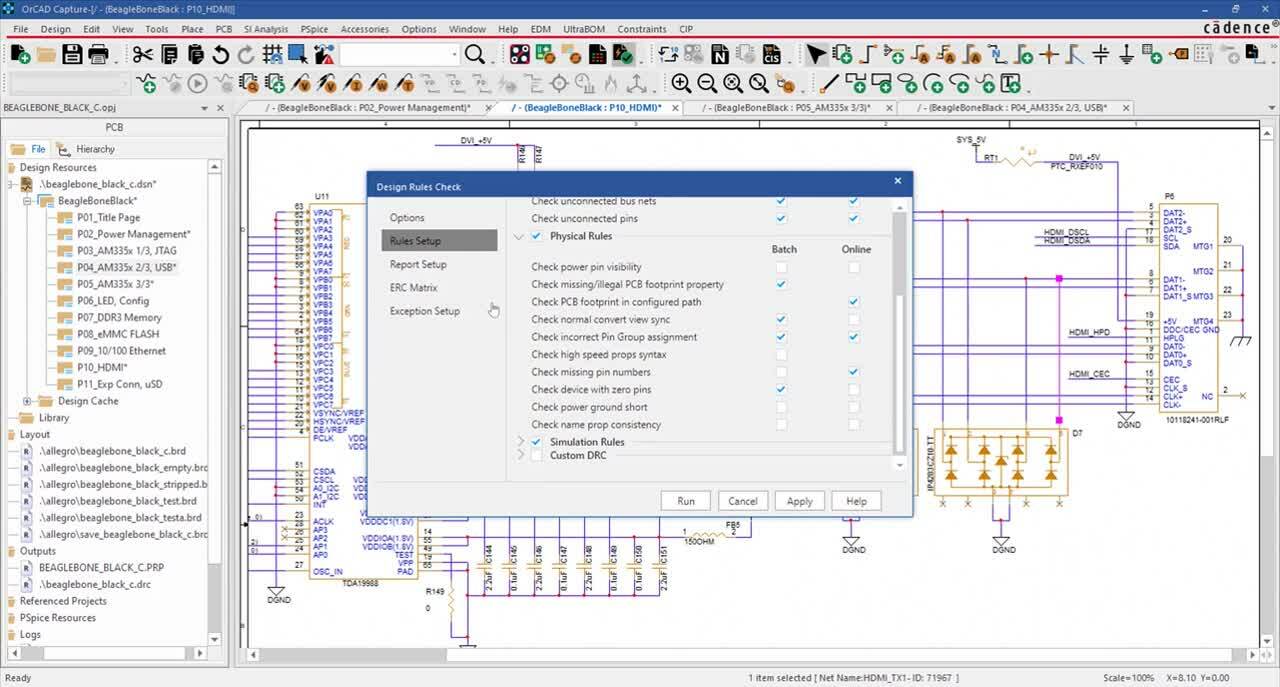
- Custom design rule check (DRC): Though Tcl scripting, user-defined schematic and circuit checks can be created and added to the Capture DRC routines. Several R&D examples include checks for hanging wires, device pin mismatches, overlapping wires, reference prefix mismatches, port-pin mismatches, and shorted discrete parts.
- Project Save As enhancements: While saving a project in 16.6, a project name that is different from the design name can be specified to mimic the manual process of copying/moving a product from one hard-drive location to another. Options include the ability to copy/move all referenced files, ensuring that all links are updated while saving.
- RefDes support alignment: Capture and CIS now handle references and designators in the same manner, eliminating the need for manual Reference Designator corrections in the CIS database and BOMs. CIS now supports all reference designator formats including as U2N, C1_R, C12-1, R7-TOP, MP_2V5_REF, and TP3V3_0. Also, the reference designator for multi-packages is consistent (e.g. MP_2V5_REF will be MP_2V5_REF not MP_2V5_REFA).
- Linking external design parts: Referenced parts of the external design can now be linked at the group or subgroup level.
- [CIS ONLY] CIS performance increase: The overall performance for CIS operations, especially when dealing with very large databases or queries, has been significantly improved.
Large Database Operation
|
16.50.S017 or earlier |
16.6 |
| CIS Explorer – Open |
40 seconds |
4 seconds
|
| CIS Explorer – Query (3000 parts) |
50 seconds |
4 seconds |
| CIS Explorer – Explore (3000 parts) |
50 seconds |
3 seconds |
| Part Manger – Add a group in a variant (7000 parts) |
15 seconds |
4 seconds |
| Part Manager – Display group parts (7000 parts) |
10 seconds |
2 seconds
|
| Part Manager – Display variant Parts (7000 parts) |
10 seconds |
2 seconds |
| Part Manager – Select all part rows in a group (7000 parts) |
> 500 seconds |
< 1 second |
- [CIS ONLY] Tcl customization for CIS Explorer: CIS Explorer can be custom-configured with user-definable actions and capabilities. (For example, customized part placement checks can disable placement of an EOL part or provide a warning if part procurement has a long lead time). Query result rows can also be customized. (For example, rows can be highlighted blue for recommended parts or red for parts not recommended or allowed.)

- [CIS ONLY] Multi-value support: Any CIS field can now be set as multi-valued for component instances with numerous information or content sources (e.g. lists for multiple datasheets/application notes or multiple PSpice models for a component).
16.5 Features and Enhancements
- Graphical Operation Locking (GOp): The GOp locking feature in Capture now allows you to lock the different parts of a schematic design. Lock objects on a page, folder, or even the complete design. This feature prevents inadvertently moving or deleting parts of a design that are locked. Designs requiring alteration will need to be unlocked before any changes are made.
- Placement Report: Generate a report of the X and Y locations of the placement of the parts on a schematic. This report, generated as a .CSV file, provides these details of the parts:
- Reference Designator
- Part Name
- Schematic Name
- Sheet Number
- File System Location of the Part Library
- X and Y co-ordinate location
- Find Results Report: After executing the Find command on a design, generate a report for the results from the command. By running the Find command to search for different types of objects in a design, the search results display in different tabs of the Find window, allowing you to export the data from each tab.
- Net Groups: OrCAD Capture introduces the concept of the NetGroup that allows you to create groups of nets. A NetGroup can include a group of scalar nets, vector nets, or a combination of both. Capture allows you to create Named NetGroups that can be used across a design or exported to other designs. Alternatively, for one-time use, you can create an Unnamed/Adhoc NetGroup.
The new NetGroup Connector can be used to intelligently merge and tap out signals. It can also be used to generate net names for connected signals.
- CIS.INI Settings: While the Capture INI settings are always dynamic, the CIS settings are more or less static and usually do not change after the initial CIS database related setup. You may often need to clear out and reinitialize your Capture INI settings, but may still want to retain the CIS settings. To allow this, OrCAD 16.5 now retains the CIS INI settings in a separate back-up file. This file retains the CIS INI settings that Capture will retrieve when it re-initializes the Capture INI settings.
- Partial Design Simulation: The 16.5 release comes with the productivity enhancing feature of partial design simulation. You can now identify individual components of any design, and, using the partial design simulation feature, simulate only selected portions. Using this feature, you can simulate different circuits in the design with different simulation profiles. You can also netlist only a particular portion of the design. In addition, you can compare and merge portions of a design quickly.
16.2 Features and Enhancements
- Usability enhancements
- Enhanced OrCAD Capture and PCB Editor integration
- Improved FPGA design-in functionality
- New annotation type option
- DRC enhancements
- Netlist enhancements
- L2A integration in OrCAD Capture
- User interface updates
- CIS RDBMS support
- CIS configuration file in XML format
- New ActiveParts Portal in ICA
16.0 Features and Enhancements
- Place and move drawing objects on fine grid independent of connectivity objects
- Enhancements to archiving mechanism for PSpice model libraries
- Cadence Help
- Support for mechanical parts and assemblies in standard CIS BOM
15.7 Features and Enhancements
- Controlled annotation of parts
- PSpice ground zero symbol
- Mouse wheel support
- New option to set the drag behavior
- New unit values in the signal flow properties UI
- Customize netlist formatter
- Descend hierarchy using the mouse button double-click
- Saving queries
- Version 11.0 of Crystal Reports
10.5 Features and Enhancements
- Split part symbol generation enhancement
- Archiving enhancement
- Differential pairs between flat nets
- New part creation from spreadsheet
- Assigning signal flow properties to a bus
- Setting preferences for linking a placed part to a database part
- Viewing design variants information
10.3 Features and Enhancements
- Split part symbol generation
- Signal property flow to PCB Editor
- Page navigation
- Replace cache with preserve reference designator
- Import the latest Xilinx and Altera formats
10.0 Features and Enhancements
- Design-level property management
- Unlimited undo/redo
- Label states for what-if scenarios
- Enhanced support for simulation profiles
- New directory structure for analog projects
- Annotation improvements
- Soft save
- Automatic backup of designs
- Dynamic port/pin updates on hierarchical blocks
- File locking for team design
- Ability to run multiple versions of OrCAD Capture
- Printing and plotting enhancements
- Support for design reuse in OrCAD Layout
- Significant improvements in OrCAD Capture-Allegro PCB flow
- Push occurrence properties into instance utility
- Support for Xilinx Design Manager version 4.1 and 4.2 output files
- Improved EDIF 2 0 0 import/export functionality
|
OrCAD Capture How To Videos (YouTube)
The following series of How To videos are brought to your from Parallel Systems. A Cadence Channel Partner serving the UK. |
| |
|
|
|
|
Learn More
Downloads
Related Products
News
|
|
|