
Reports and Results
Once X AI has completed the routing, the dashboard provides metrics related to:
- Signal Opens
- Differential Pair Impedance Pass
- Wire Impedance Pass
- DRCs
- Run Time
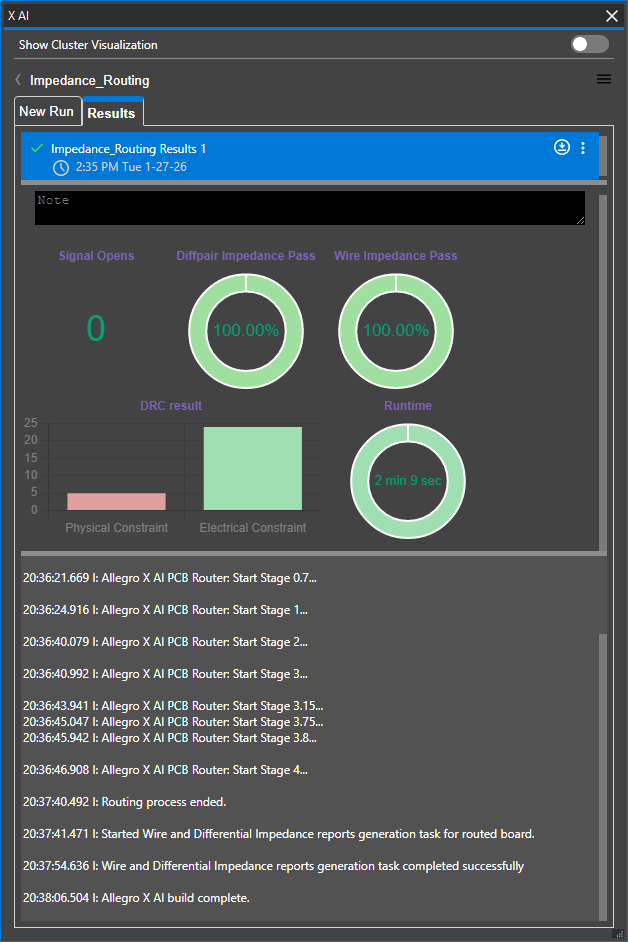
Viewing Allegro X AI Routing Results
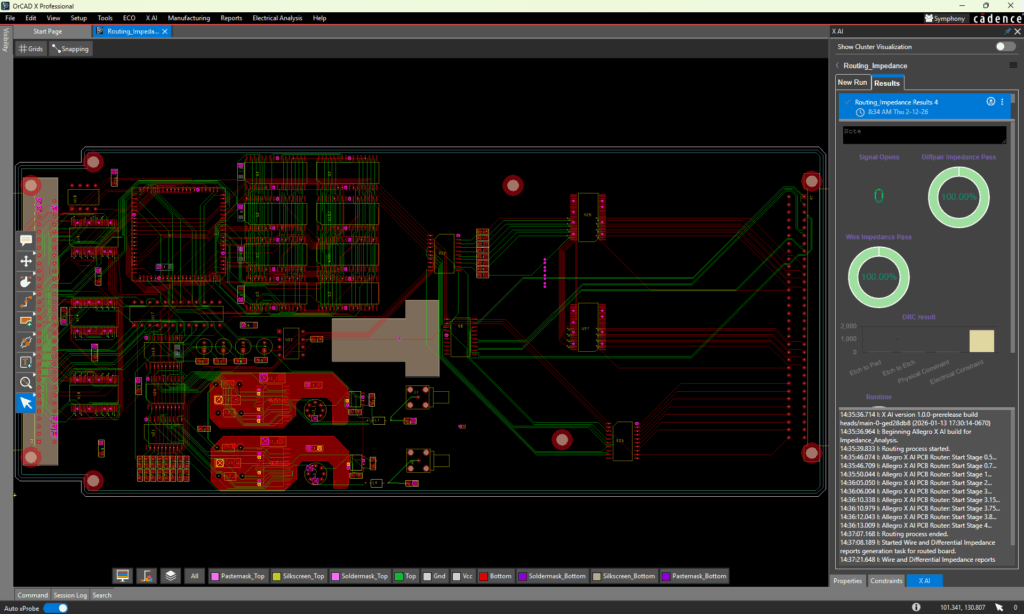
Click any of the dashboard status icons to review results. Click the download icon to download the .brd file and open it in OrCAD X or Allegro X.
Signal Opens
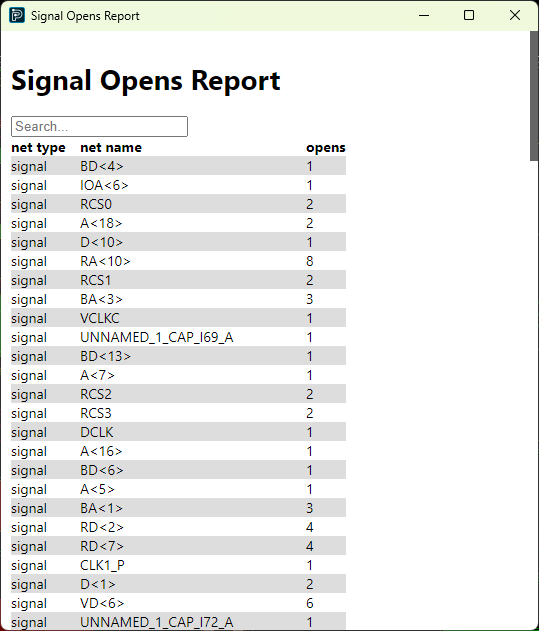
During routing, Allegro X AI analyzes if the required connections were completed. This information can be viewed in the Signal Opens Report.
Select the pie chart for Signal Opens.
Differential Pair Impedance
Allegro X AI analyzes routing adherence to the differential pair impedance constraints defined. Select the pie chart for diffpair impedance pass.
The differential pair impedance report includes the following information:
- Net 1
- Net 2
- Measured differential pair impedance
- Differential pair impedance constraint
- Differential pair impedance constraint tolerance
- Odd mode differential pair impedance constraint
- Odd mode differential pair impedance constraint tolerance
Wire Impedance
Allegro X AI analysis routing adherence to the impedance constraints defined. Select the pie chart for wire impedance pass.
The Wire Impedance report includes the following information:
- Net name
- Measured impedance
- Single ended impedance constraint
- Single ended impedance constraint tolerance
DRC Result
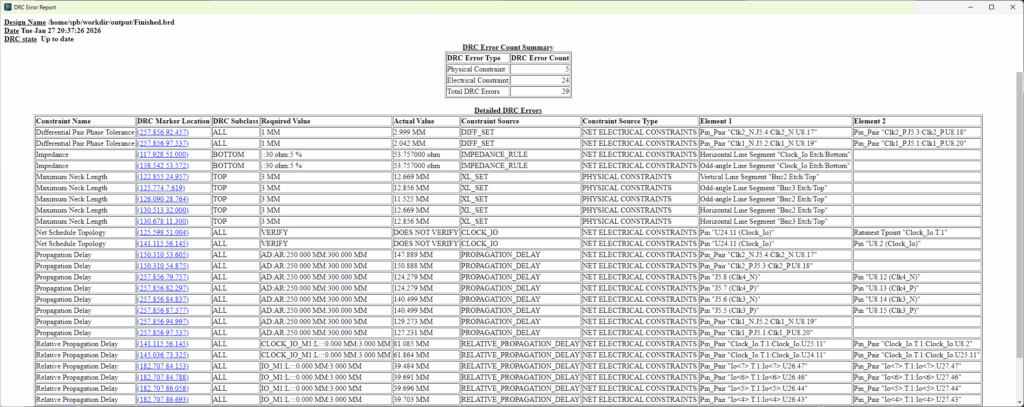
The DRC report includes the number of design rule violations and information regarding the type of design rule being violated, location on the board, and more. Select the hyperlinked coordinates for DRC Marker Location to be brought to the location of the DRC error on the PCB.
Run Time
The run time displays the total time taken to complete routing by Allegro X AI.
