
When evaluating routing, to improve efficiency colors can be assigned to nets. This will help you to verify connections and proper routing.
Evaluate routing results by reviewing the PCB design. Identify any design rule errors that were created and adjust traces as necessary.
Need Help? Get step-by-step instructions for color coding nets on the PCB here and instructions for checking and correcting design rule violations here.
Troubleshooting Allegro X AI for Routing
Perform a database audit to understand potential issues that may be negatively impacting Allegro X AI router results. This includes the following checks:
Route Keepin
Check: Checks for the existence of Route Keepins in the design and checks if there are any pins, vias or traces outside of the route keepin.
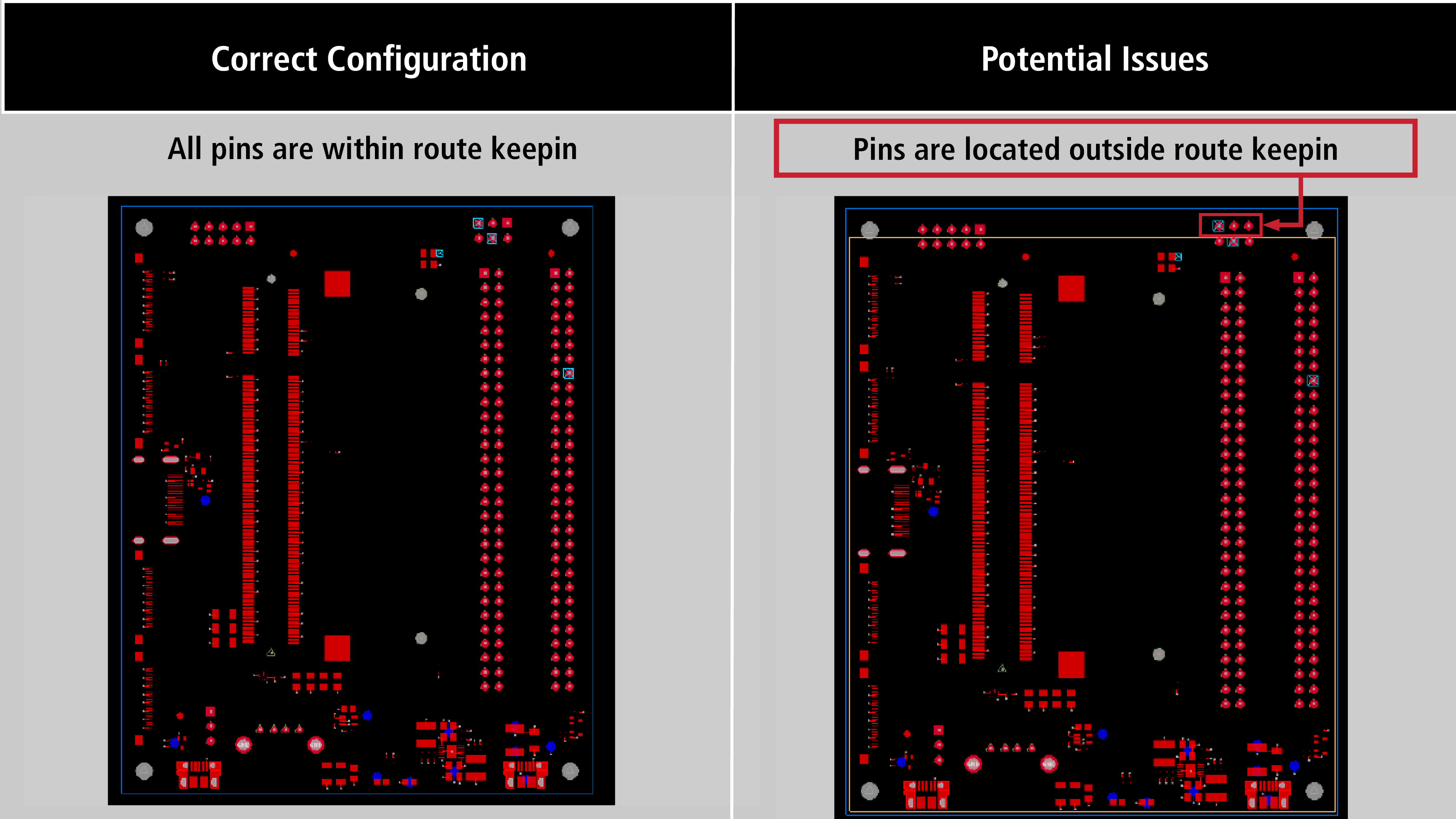
Solution: Adjust the route keepin to contain all pins and vias.
Objects Outside of Design Outline
Check: Checks to ensure a design outline is present. Additionally, checks if there are any pins, vias, or traces outside of the Design Outline.
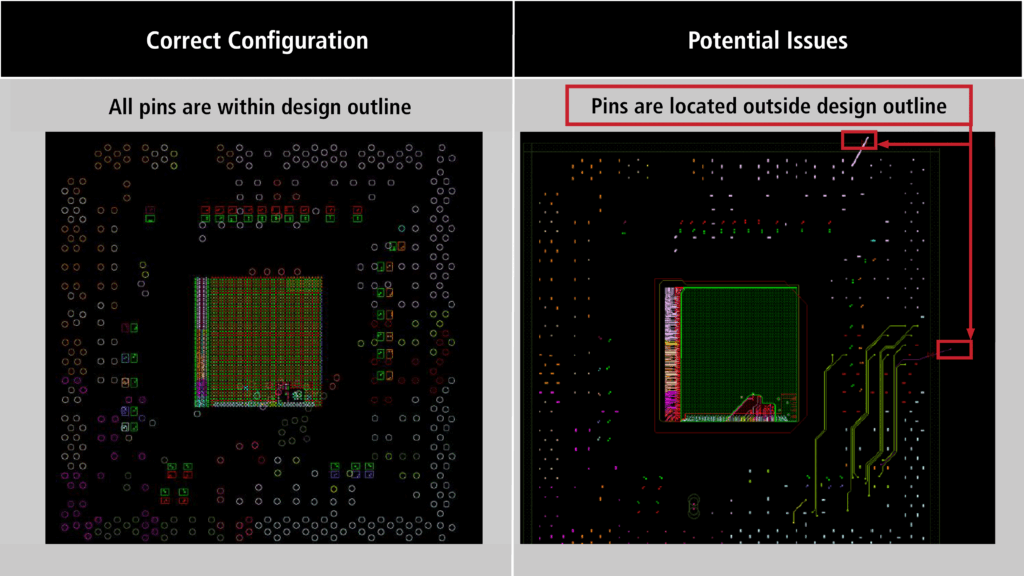
Solution: Move components, vias, or traces within the design outline.
Missing Core Layer Definition
Check: Checks to ensure at least one dielectric core is defined for dielectric layers.
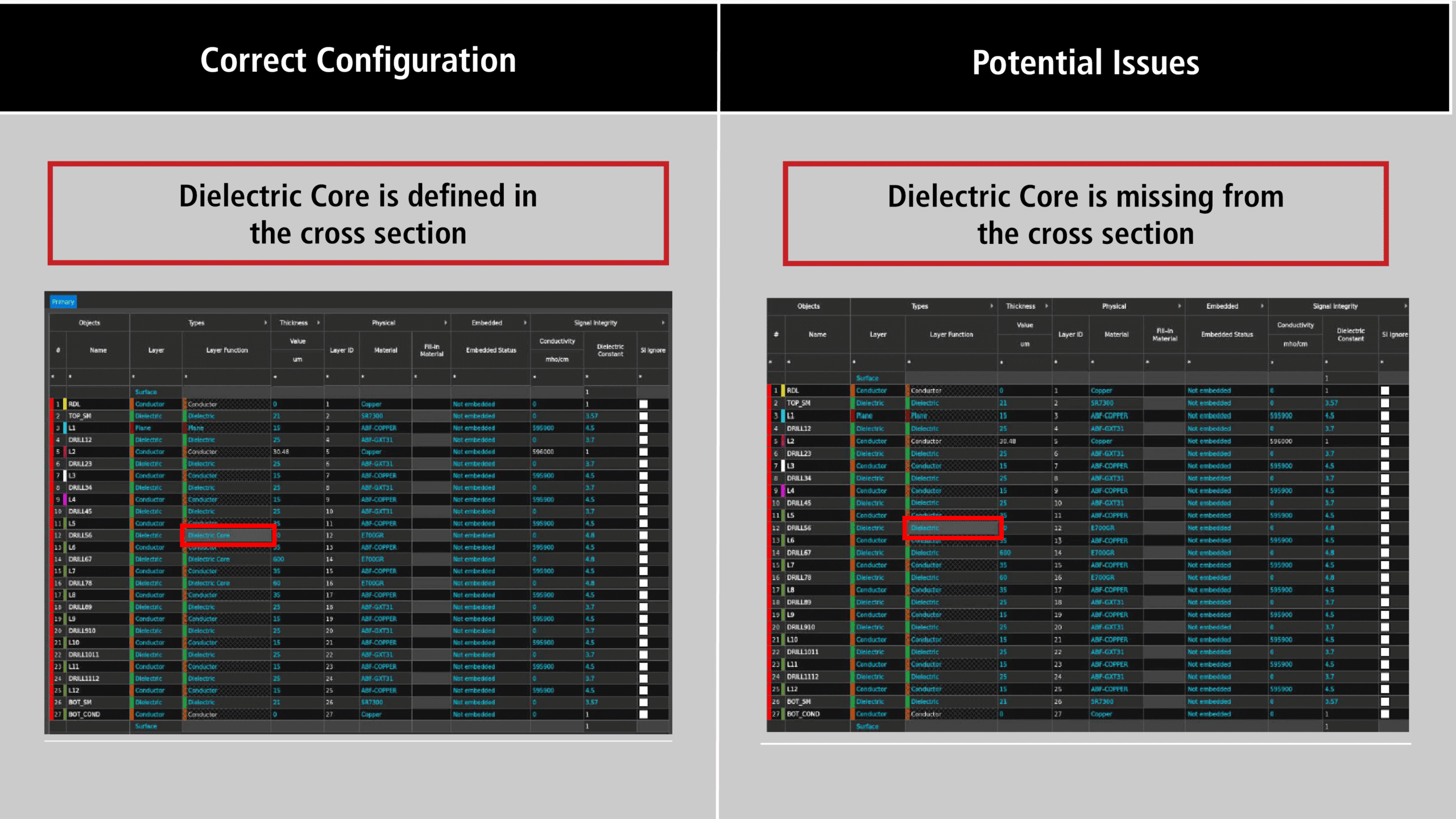
Solution: Modify the cross section to correct the issue.
Conductor Layers
Check: Checks to ensure at least one conductor layer is defined in the cross section editor. If layer sets are defined, it checks that each layer in layer sets are all conductor layers.
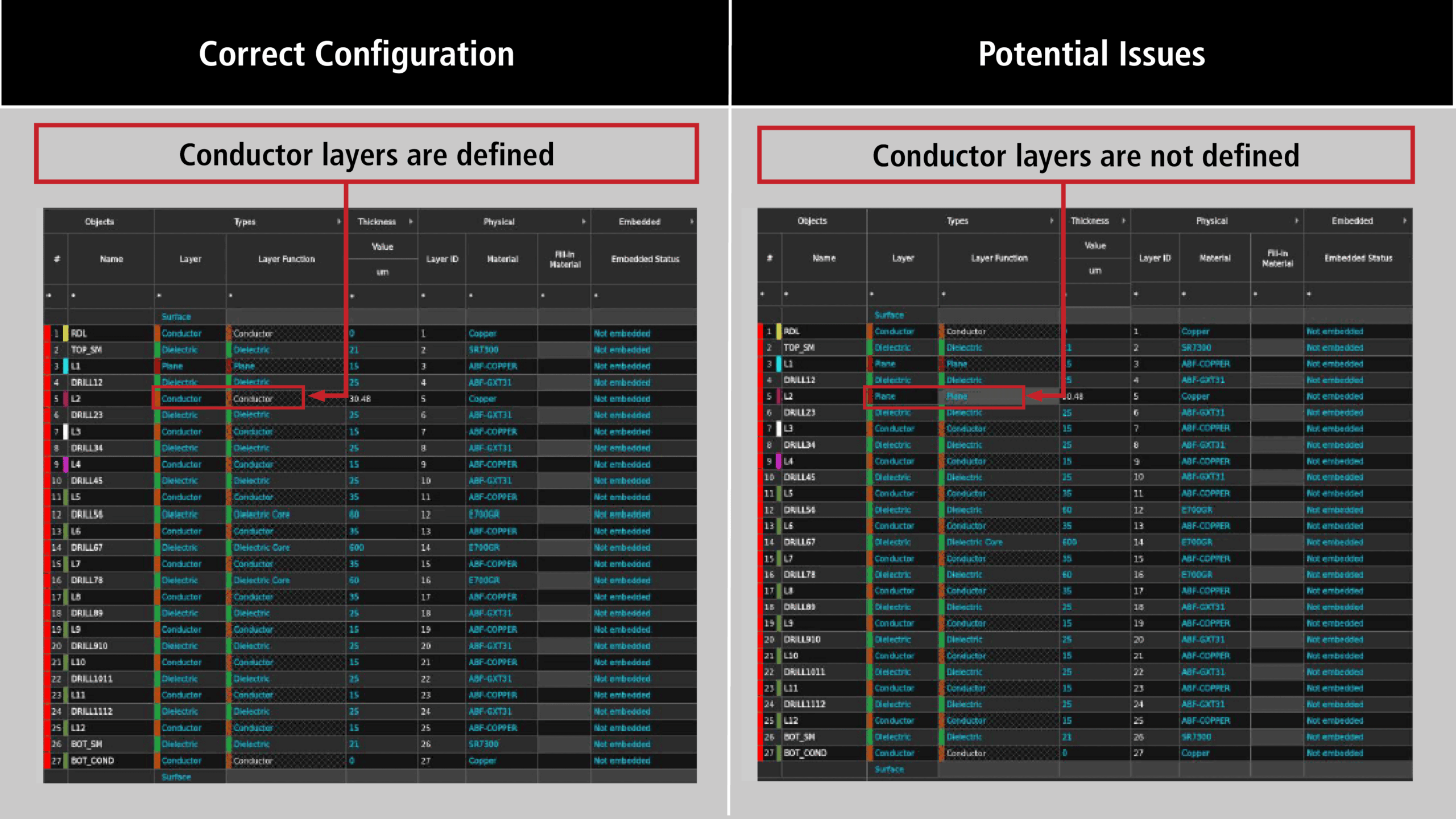
Solution: Modify the cross section to correct the issue.
Voltage Net Definition
Check: Checks if there are nets with 3 or more pins but not tagged as a voltage net. Additionally, it checks if there are nets with shapes not tagged as voltage nets.
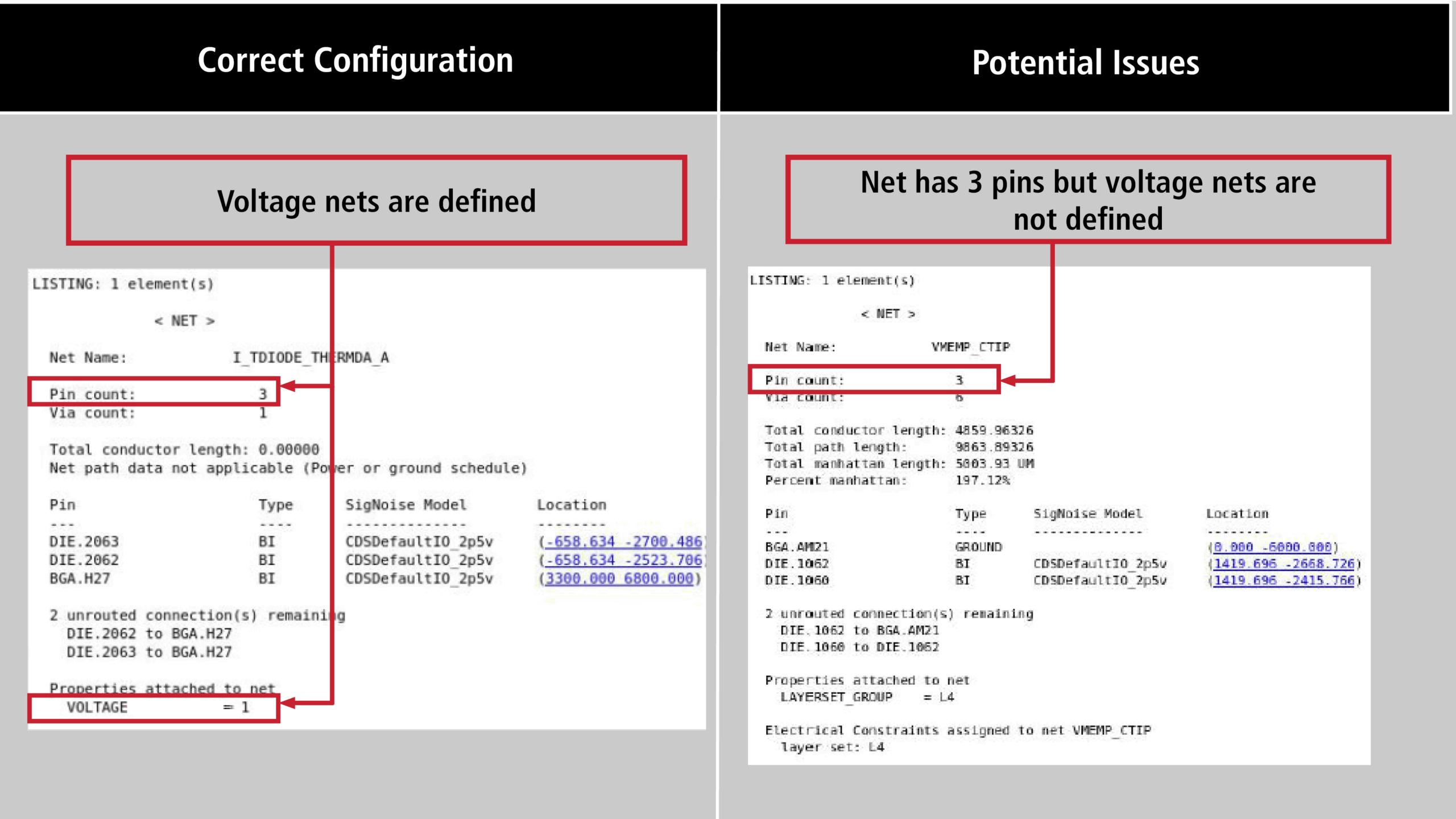
Solution: Identify the voltage net in constraint manager.
Need Help? Get step by step instructions here for defining DC voltage values.
Nets with Fixed Property
Check: Checks if there are nets that are fixed in the design.
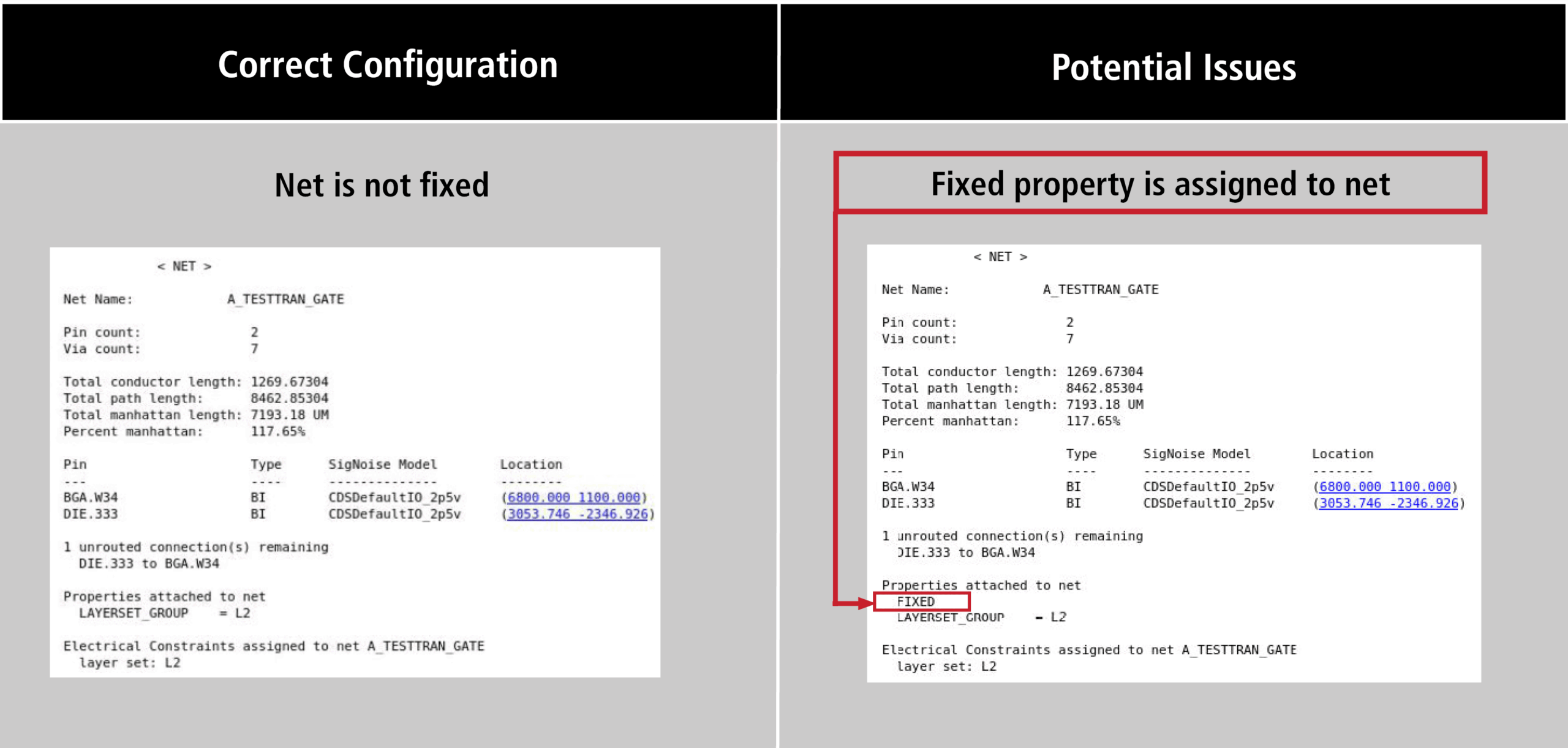
Solution: The Allegro X AI router will not route nets with a fixed property. Signal nets with fixed property will be skipped. Remove the fixed property where applicable.
Layer Set Configuration
Check: Checks if layer sets are defined. If Layer sets are defined, it checks if any of the layer sets contained all etch layers and there is at least one layer in each layer set.
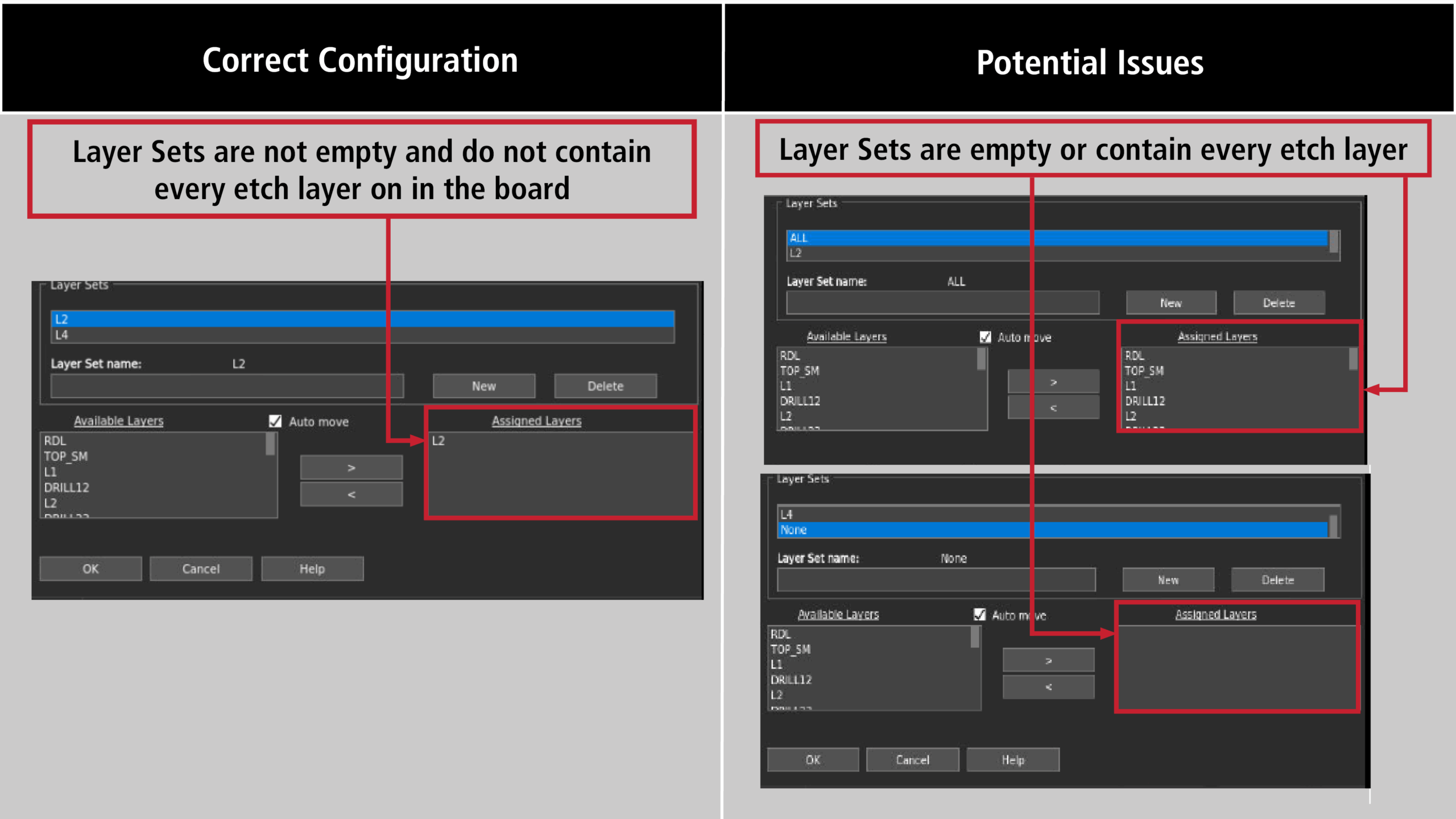
Solution: Correct Layer Sets in constraint manager. Do not have empty layer sets or layer sets which contain all etch layers.
Minimum Blind/Buried Via Gap
Check: Checks if the minimum blind/buried via gap is turned on in the Analysis Mode.
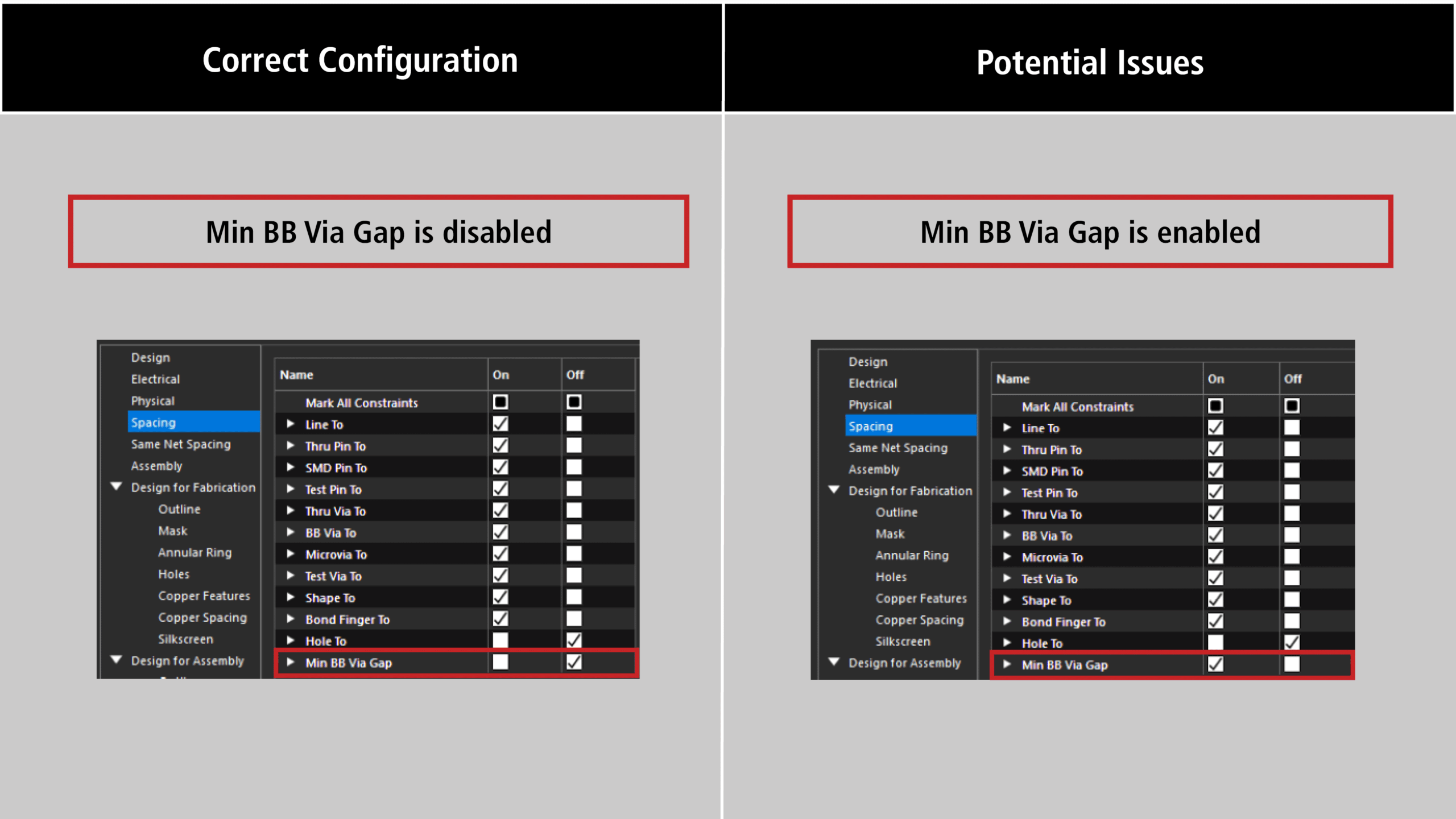
Solution: Turn off “Min BB Via Gap” under Analyze > Analysis Modes in the constraint manager, or select “Honor Constraints with DRC Off in Analysis Modes” in Advanced Options for the Allegro X AI Router as this rule is not fully supported yet.
Need Help? Get step-by-step instructions for configuring analysis modes for constraints here.
Constraints Enabled
Check: Checks if supported physical, spacing, and same net spacing constraints are OFF in Analysis Modes.
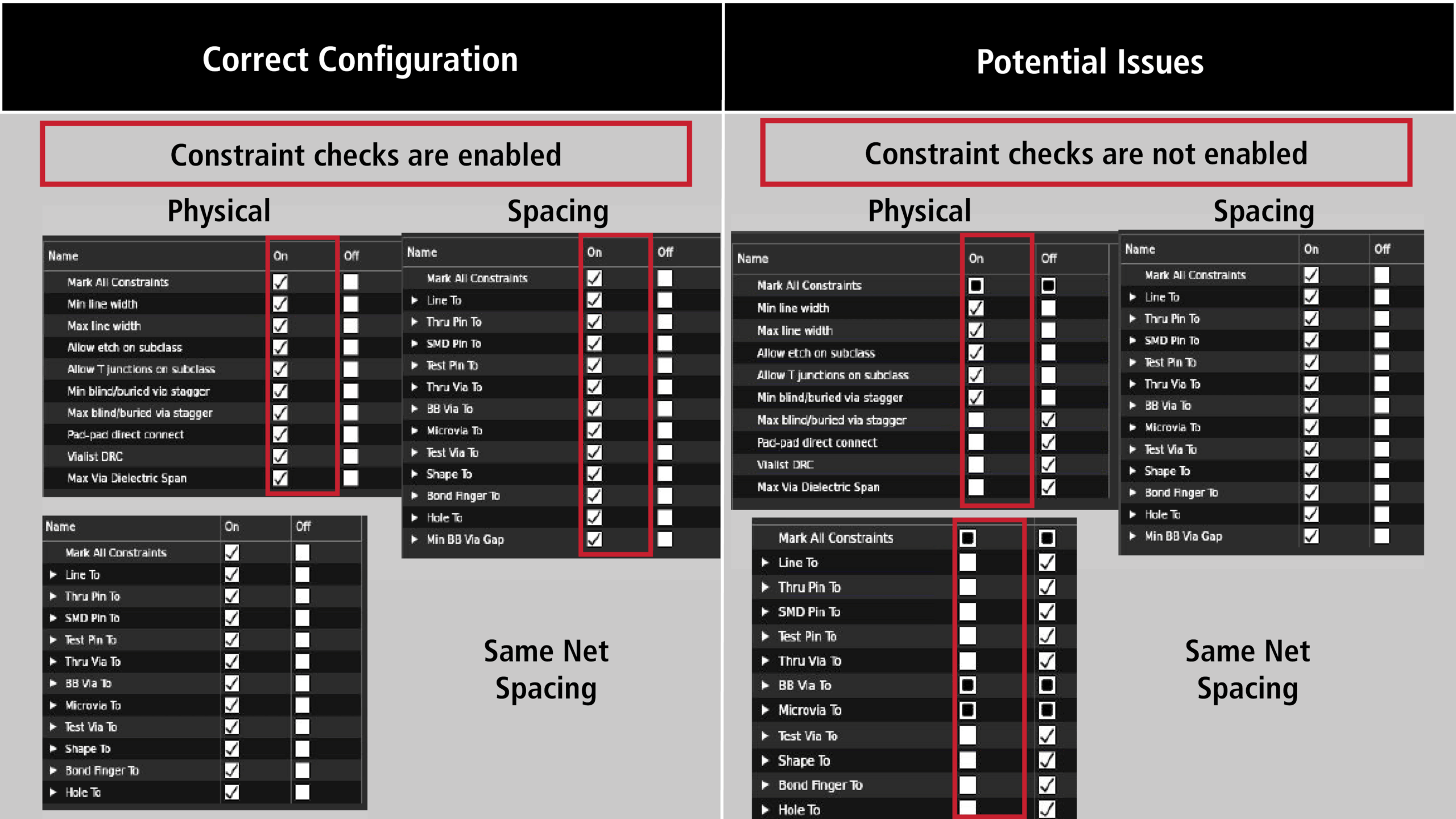
Solution: Turn supported constraints ON under Analyze > Analysis Modes in the constraint manager or select “Honor constraints with DRC OFF in Analyss Modes” in Advanced Options for the Allegro X AI Router.
Need Help? Get step-by-step instructions for configuring analysis modes for constraints here.
Via List
Check: Checks that the Vialist DRC is ON in Analysis Modes. Additionally, this checks if each via list includes a via transition from top-most to bottom-most layer and there are no vias with the same start and end.
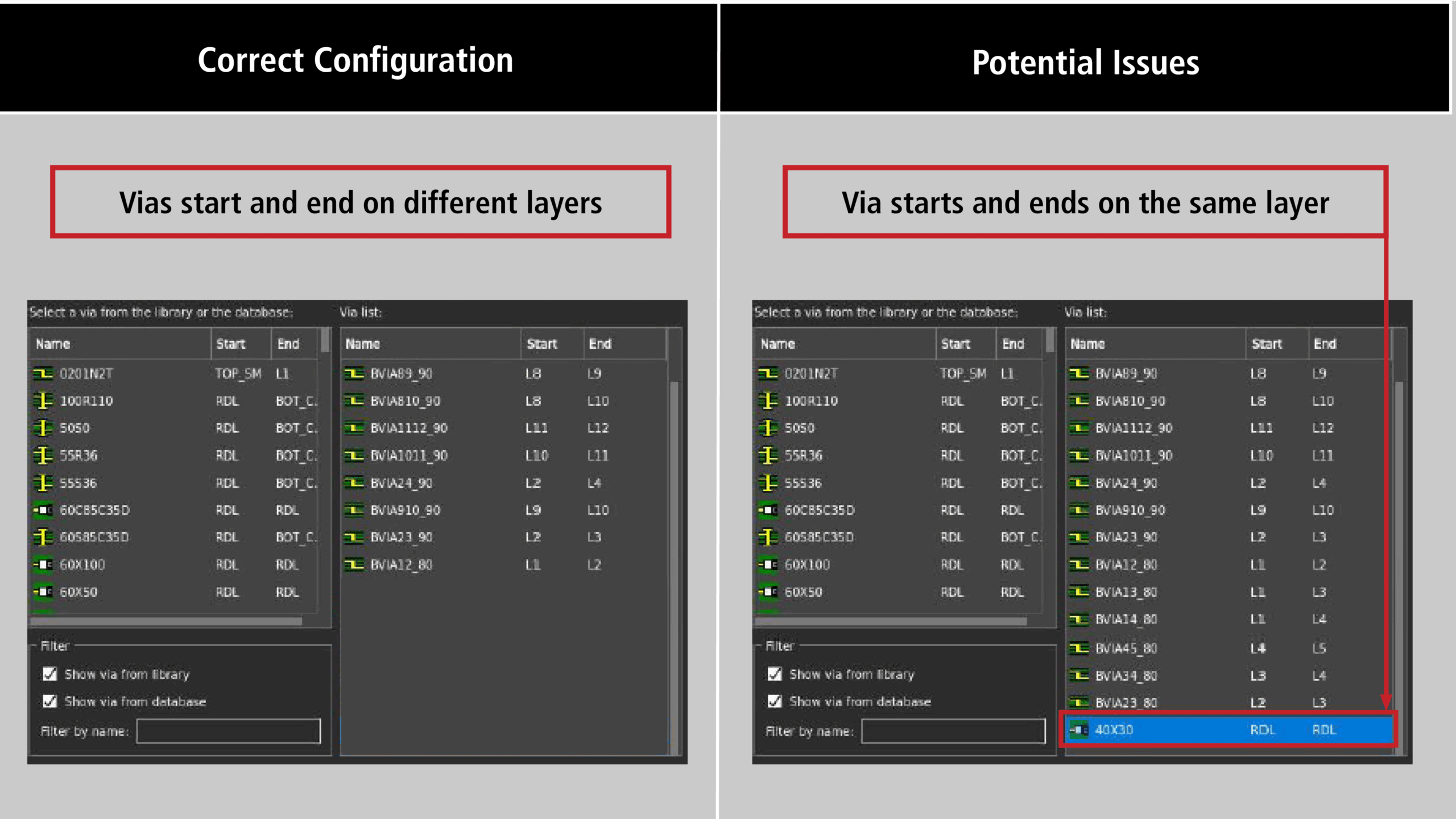
Solution: Turn Vialist DRC on under Analyze > Analysis Modes in the Constraint Manager. Ensure a via is defined connecting the top layer to the bottom layer. Ensure there are not vias with the same start and end. If there are vias with the same start and end layer, priority will be given to the via highest in the list unless “Ignore Physical CSet Via List Priority Ordering” is selected under Advanced Options for the Allegro X AI router.
Neck Width and Neck Length
Check: For differential pairs, this checks if there is a neck length assigned when neck width is configured. If there is no neck length defined, the neck width value will be ignored, and the neck width will not be used by Allegro X AI.
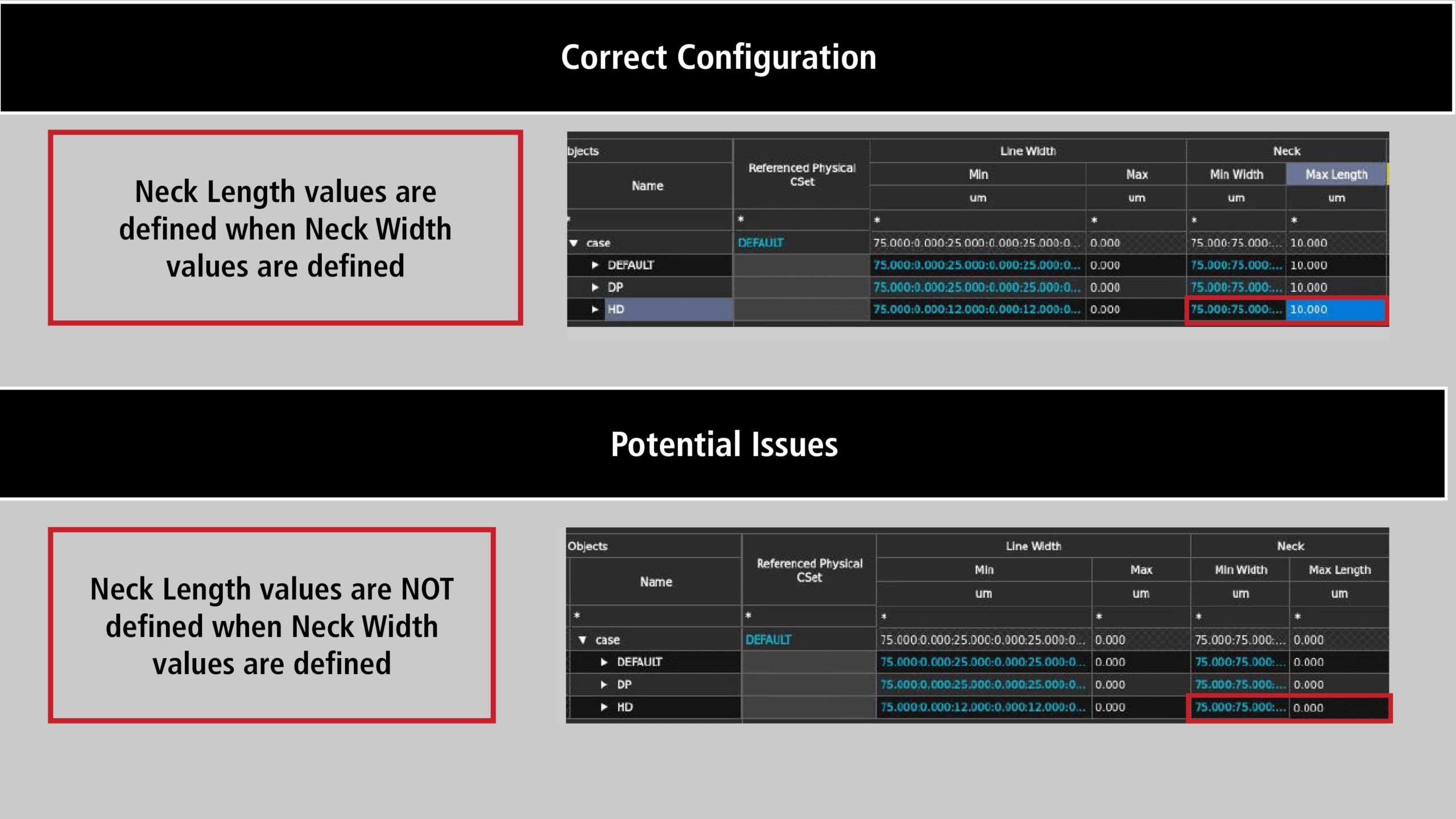
Solution: Assign a neck length for differential pairs.
Need Help? Get step-by-step instructions for assigning differential pair constraints here.
Differential Pair Override Settings
Check: Checks if the option is selected for differential pair width or gap overrides supersede region constraint.
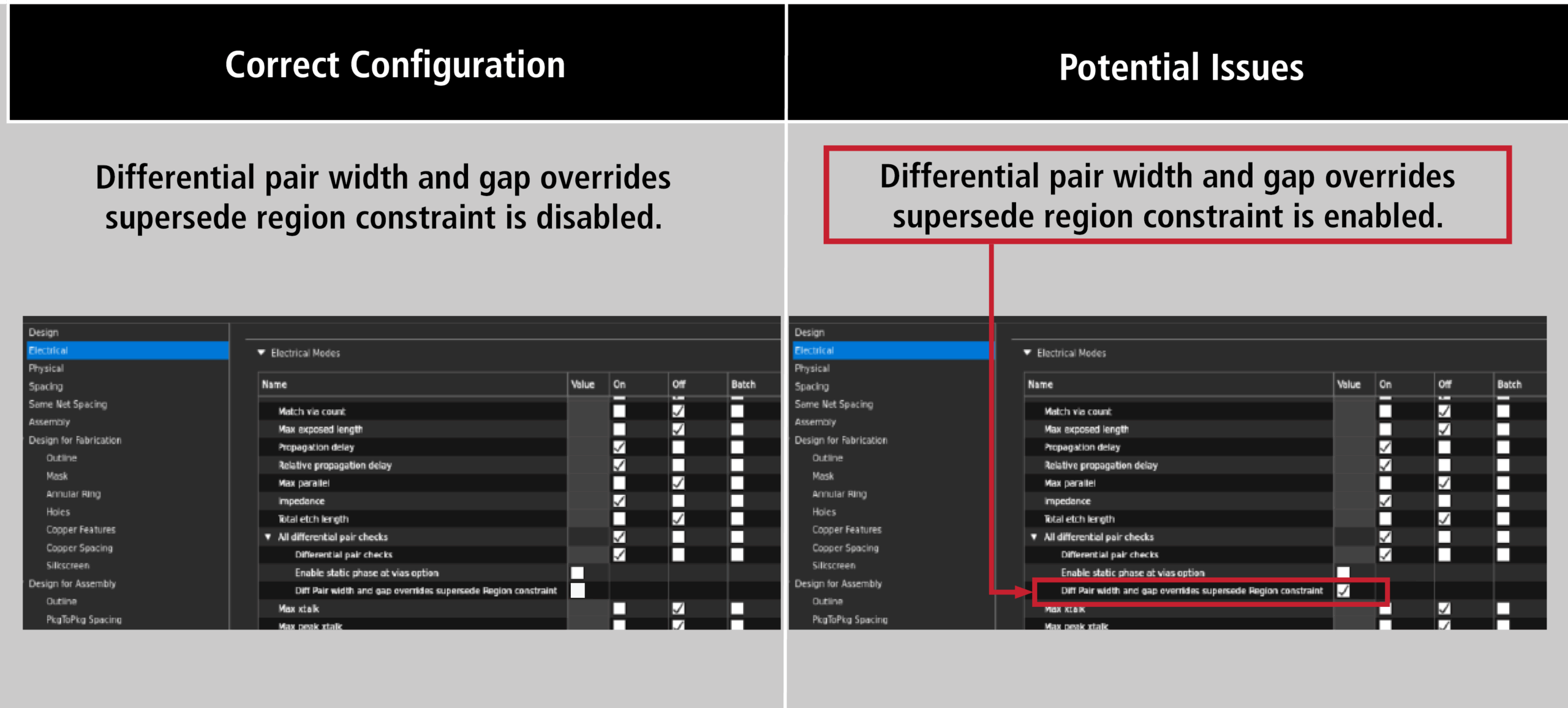
Solution: This option is not supported with Allegro X AI router. It is recommended to turn off this option under Analyze > Analysis Modes > Electrical in the constraint manager.
Minimum Line Width at Pin Pad
Check: Checks if the minimum line width exceeds pin pad width for a given net.
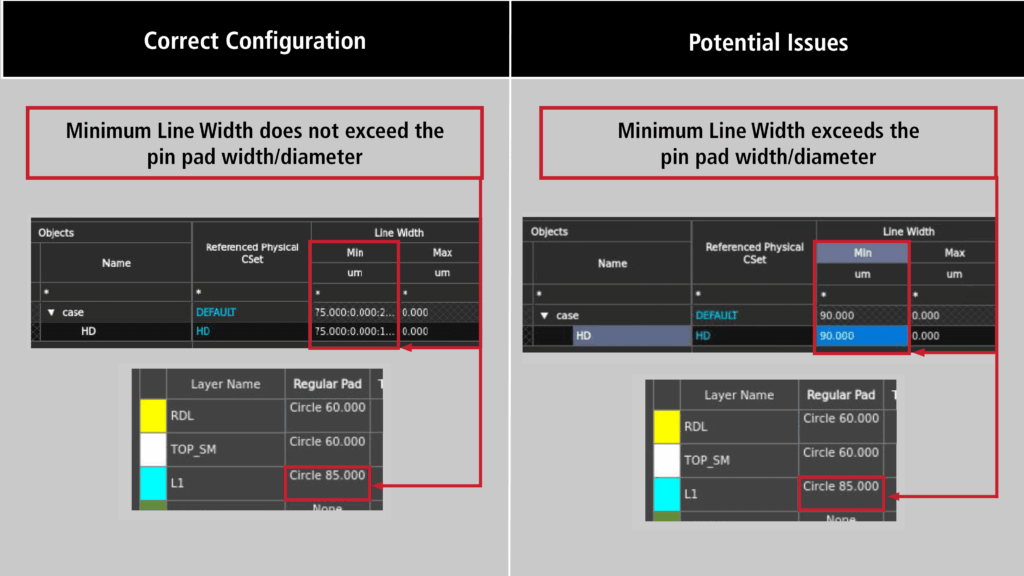
Solution: Since these rules are used to breakout from pins DRC errors will occur. Change the minimum line width in the constraint manager.
Need Help? Get step-by-step instructions for configuring physical constraints here.
Route Keepout and Static Shapes
Check: Checks the amount of routable area on the PCB by calculating the percentage of the board covered by route keepouts and/or static shapes.
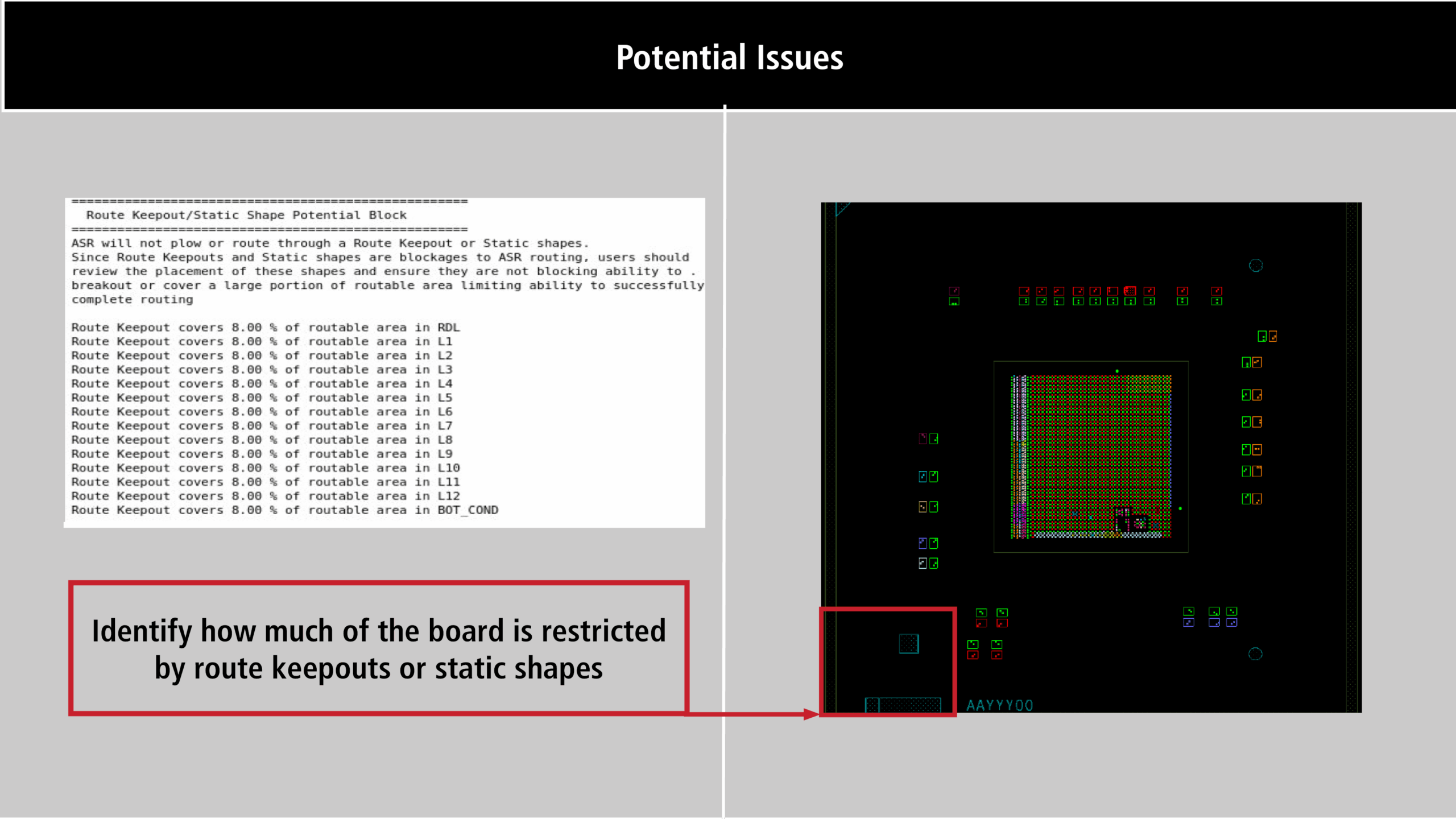
Solution: Minimize static shapes to improve routability and ensure you are not limiting the ability to successfully complete routing.
Constraint Region Check
Check: Checks for overlapping constraint regions and if a constraint region has a region assigned. Additionally, this checks for constraint regions that are not adjacent as this can cause width and spacing transition difficulties.
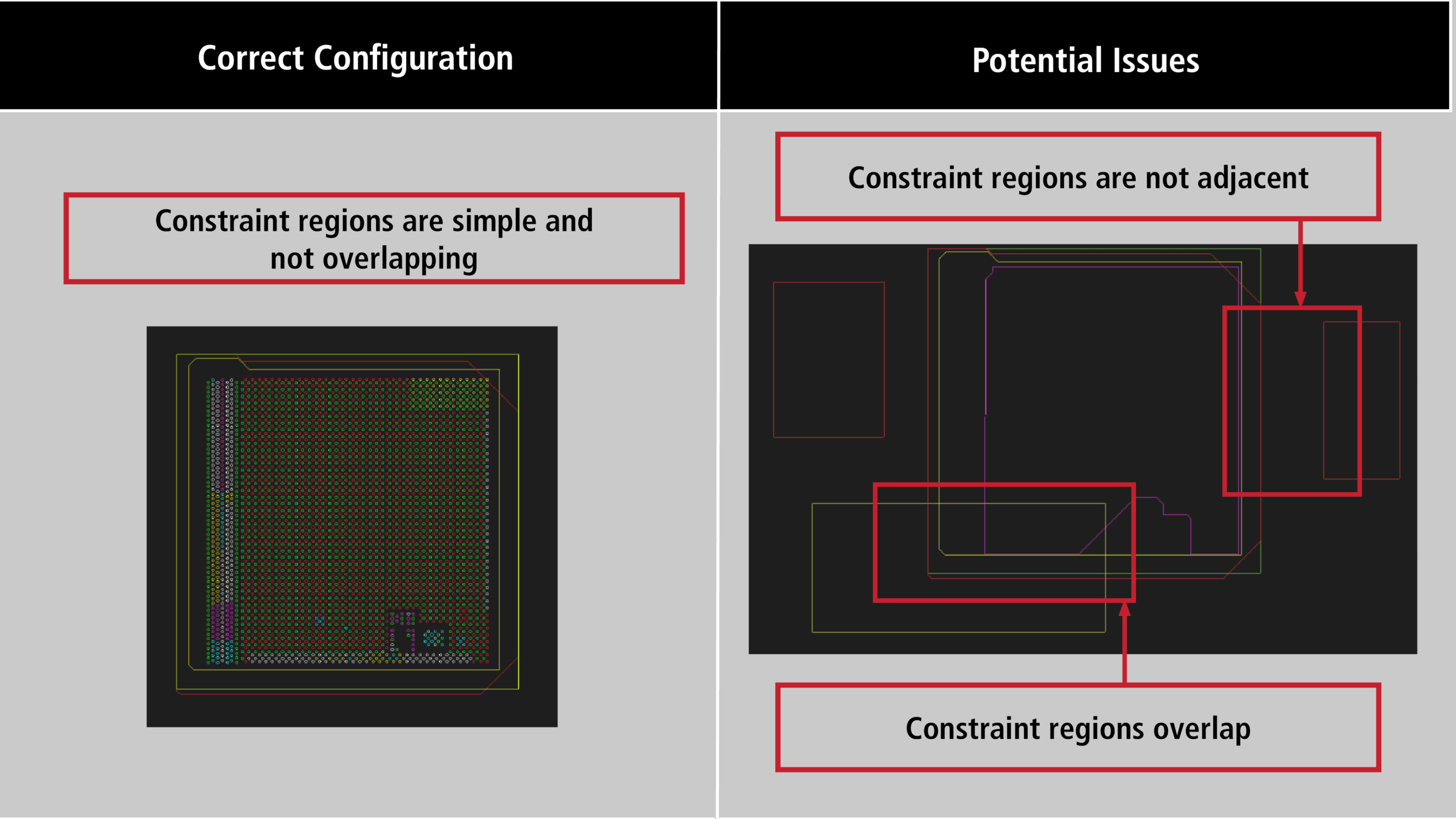
Solution: Move constraint regions adjacent to each other if possible. Do not overlap constraint regions. Ensure regions are assigned properly.
Need Help? Get step-by-step instructions for working with constraint regions here.
Intra-DP Spacing
Check: Checks if “Intra-DF Spacing Cset” is configured and assigned.
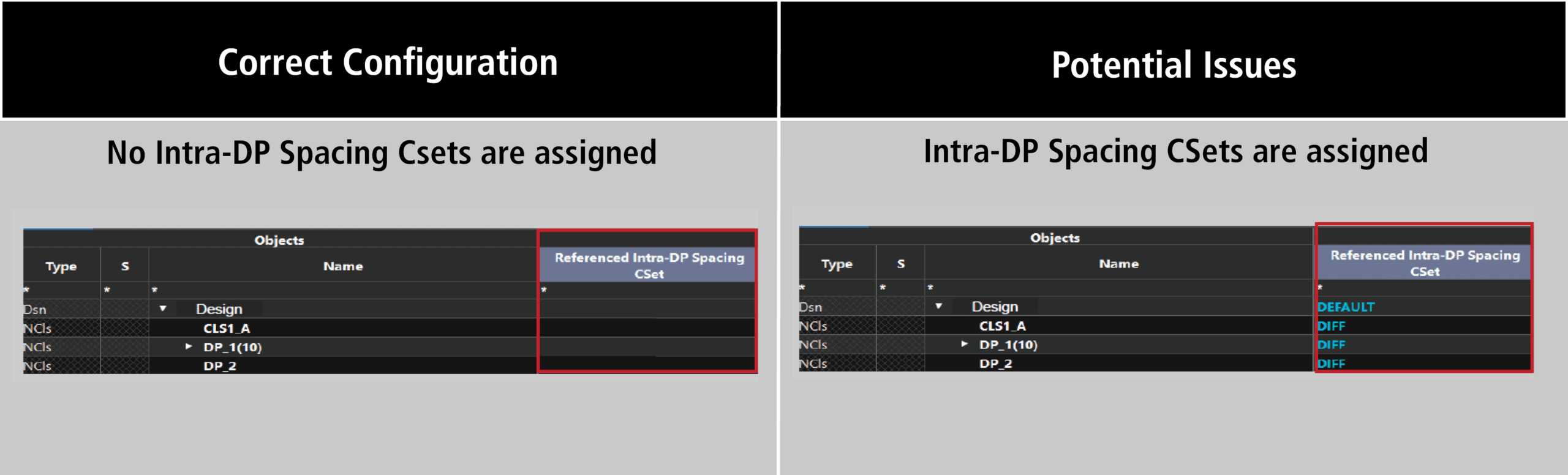
Solution: This constraint drives the minimum clearance between the via members of a differential pair and is not currently supported. The region rule spacing will override the spacing of this attribute or the Intra-DP Spacing CSet can be removed.
Common Issues
The following section discusses common issues and solutions with completing routing with Allegro X AI.
Excessive Neck Length
Cause: Traces are routed with an excessive neck length.
Solution: Set the maximum neck length constraint in the constraint manager. The recommended value to avoid excessive neck lengths in the design is 0.
Via in Pad
Cause: By default, “All Allowed” is set in constraint manager for Pad-Pad Connect.
Solution: Set “Vias_Pins_only” on surface layers or “Not Allowed” to prevent via in pad.
