
Reports and Results
Once Allegro X AI has completed the copper pour generation, the dashboard provides metrics related to:
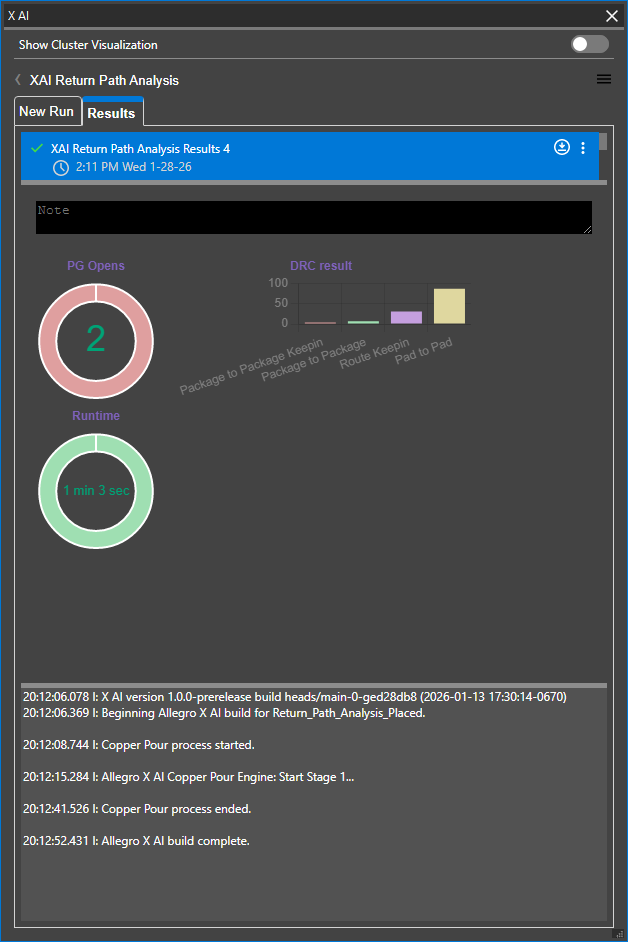
Viewing Copper Pour Results from Allegro X AI
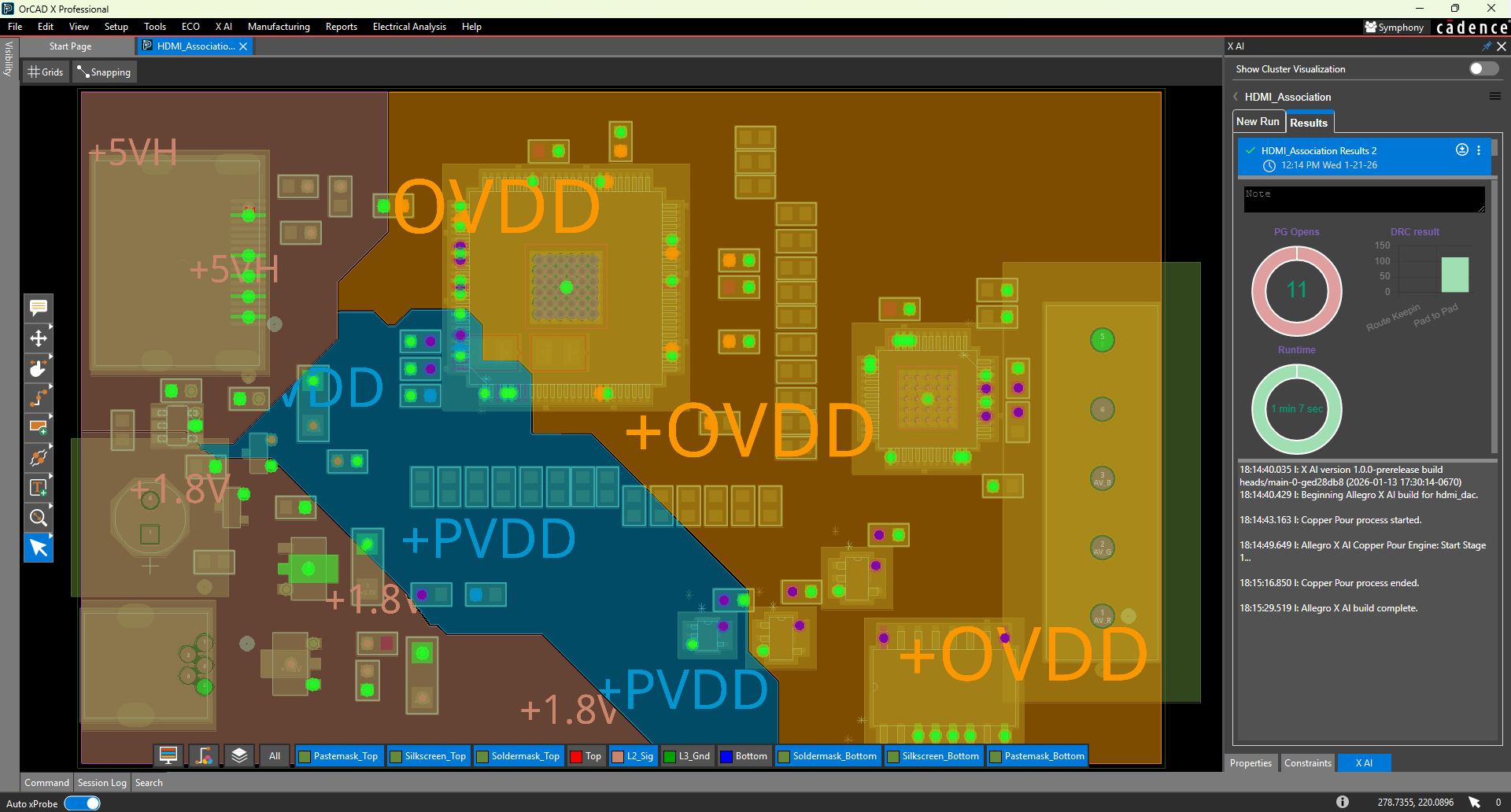
Click the download icon to download the .brd file and open it directly in OrCAD X or Allegro X. This will allow you to review the results, save the board file, and continue with the PCB design process.
Power and Ground Opens
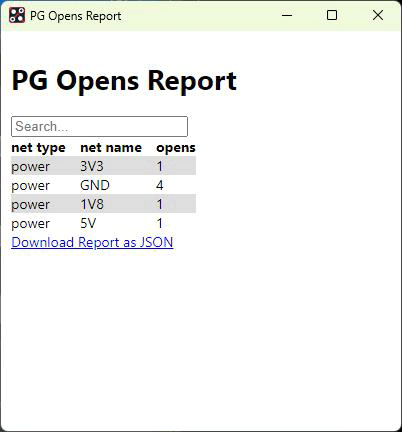
During copper pour and plane generation, Allegro X AI analyzes if the required connections to power and ground we completed. This information can be viewed in the PG Opens Report.
DRCs
The DRC Results reports how many design rule errors were created during the generation of copper pours and planes. Selecting the bar graph will display a detailed DRC Report.
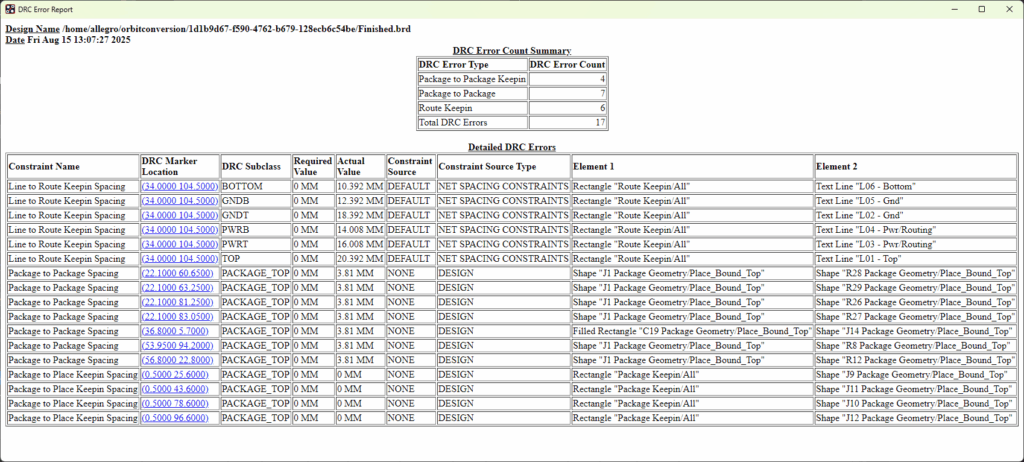
The DRC report includes the number of design rule violations and information regarding the type of design rule being violated, location on the board, and more. Select the hyperlinked coordinates for DRC Marker Location to be brought to the location of the DRC error on the PCB.
Run Time
The run time displays the total time taken to complete copper pours and planes by Allegro X AI.
This metric will not display additional information when selected.
Additional Information
Timestamps with additional information about the Allegro X AI run are displayed. This includes the pre-checks and screenings performed as well as any errors or warnings encountered.
To improve Allegro X AI copper pour and plane results, errors and warnings can be addressed, the updated board can be uploaded to Allegro X AI, and copper pouring can be re-run.
