Have you ever had the need to see the actual OrCAD Capture page name, schematic name or other properties on the schematic page’s Titleblock? OrCAD Capture easily allows this!
To add these properties all you need to do is:
1. Open the Titleblock in the library symbol editor
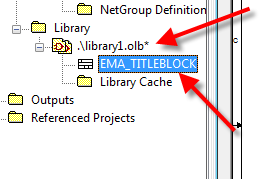
2. Open the user properties window

3. Add the following properties
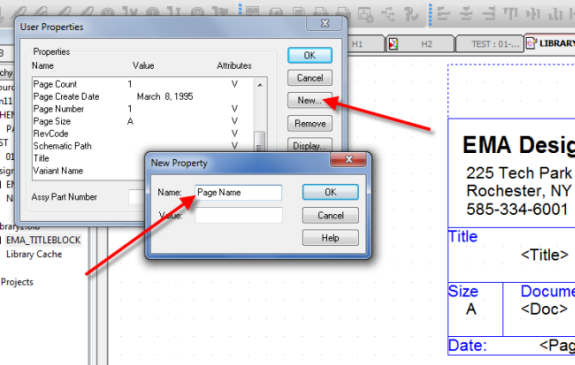
- Schematic Name
- Schematic Path
- Page Name (new in release 16.63!)
4. To change the property with different display properties, select the display format as shown
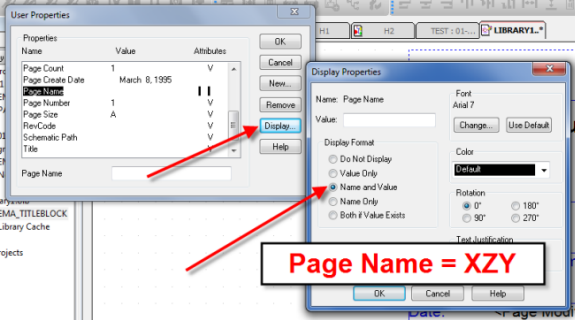
5. When the updated Titleblock is used, the schematic page will now display your new dynamic data

With these newly added properties and their values, the OrCAD Capture design now gives more detailed information on each document output!